What is CH-Ops?
CH-Ops is a browser-based operations platform for ClickHouse® that combines database administration, SQL development, monitoring, backups, dashboards, alerts, and AI-powered capabilities into a single interface.
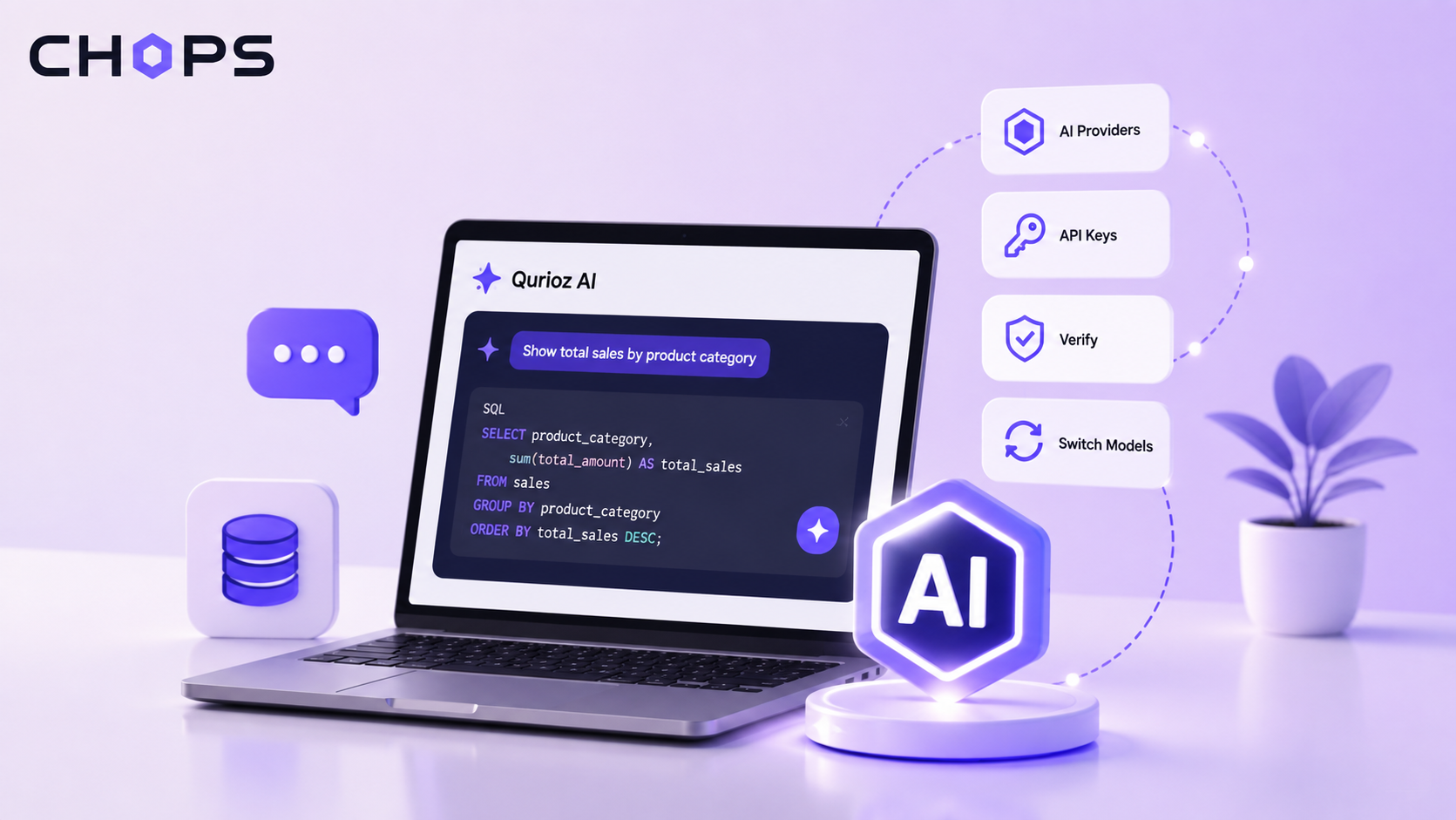
One of these AI-powered capabilities is Qurioz AI, which enables users to interact with ClickHouse® databases using natural language instead of manually writing SQL queries.
To communicate with AI models securely, Qurioz AI requires one or more configured AI providers. CH-Ops provides API Key Management, allowing administrators to configure, verify, and manage these providers from a centralized location.
What is Qurioz AI?
Qurioz AI is an AI-powered SQL assistant in CH-Ops that allows users to interact with ClickHouse® databases using natural language instead of manually writing SQL queries.
Users can simply ask questions about their data, and Qurioz AI understands the request, generates the appropriate ClickHouse® SQL query, executes it against the selected database, and presents the results in an easy-to-understand format.
Qurioz AI can also visualize query results using charts, making it easier to understand trends, comparisons, and patterns in the data.
For example, instead of manually writing a SQL query such as:
SELECT product_name, sum(total_amount) AS total_sales
FROM sales
GROUP BY product_name
ORDER BY total_sales DESC;
A user can simply ask:
"Show me the total sales by product."
Qurioz AI can generate the corresponding ClickHouse® query, execute it against the selected database, and display the results. Users can then switch to the chart view to visualize the returned data.
This makes it easier for users to explore data, generate SQL queries, understand query results, and visualize insights without requiring them to write SQL manually.
To communicate with the selected AI model, Qurioz AI requires a valid and verified AI provider configuration. This is where API Key Management becomes important.
What is API Key Management?
API Key Management is the configuration center for all AI providers used by Qurioz AI.
Instead of embedding API keys inside the application or requiring every user to configure providers individually, administrators can securely register AI providers once and make them available throughout Qurioz AI.
Currently, CH-Ops supports configuring up to five AI providers:
- OpenAI
- Google Gemini
- Claude
- Mistral
- Ollama
Once configured, these providers automatically become available inside Qurioz AI, allowing users to switch between AI models whenever required.
Why Configure Multiple AI Providers?
Different AI models are suited for different workloads.
Some models generate SQL faster, while others provide more detailed explanations or perform better with complex analytical queries.
By configuring multiple providers, users can:
- Compare SQL generated by different AI models
- Switch providers without changing application settings
- Use both cloud-based and local models
- Continue working if one provider is temporarily unavailable
- Evaluate different models for various analytical workloads
Managing AI API Keys
API Key Management provides a simple workflow for securely configuring AI providers before they are used inside Qurioz AI.
1. Add a New API Key
Navigate to:
Control Panel → AI API Keys
When no providers have been configured, the page displays an empty API Key Manager.
API Key Management page before any AI providers are configured.
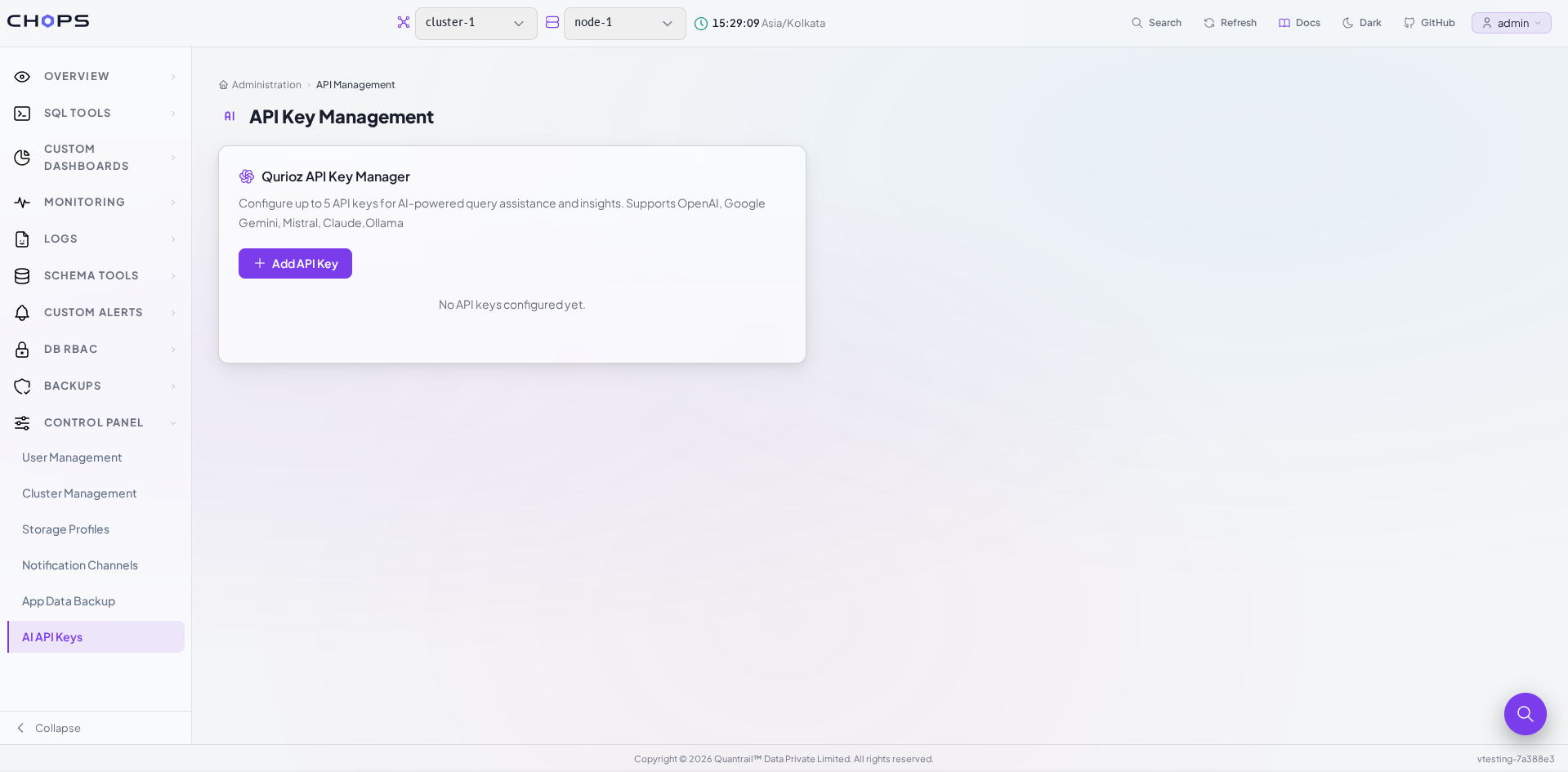
Select Add API Key to configure a new provider.
For each provider, enter:
- Display Name
- AI Provider
- Model Name
- API Key
Each provider uses its own supported models.
For example:
OpenAI → GPT models
Gemini → Gemini models
Claude → Claude models
Mistral → Mistral models
Ollama → Local models
CH-Ops supports configuring up to five API providers, making it easy to manage multiple AI services from one place.
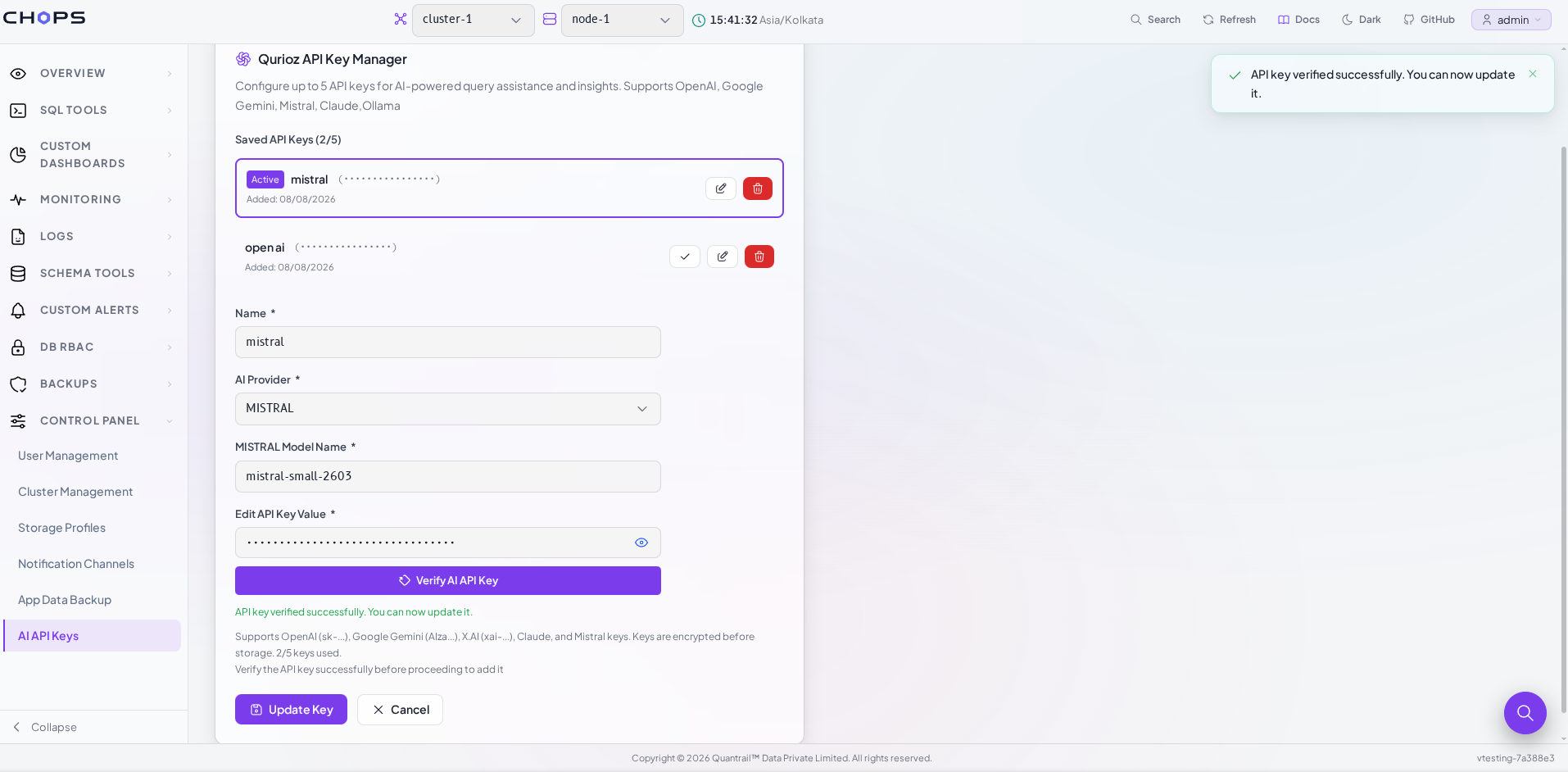
2. Verify Before Saving
Before an API key can be stored, CH-Ops validates the credentials.
Once a valid API key is entered:
- the API key is successfully verified
- a success message is displayed
- the verification status appears in green
- the Save Key button becomes available
This verification step ensures that only valid API credentials are stored and prevents invalid configurations from being used by Qurioz AI.
Verifying an AI provider before saving the API key.
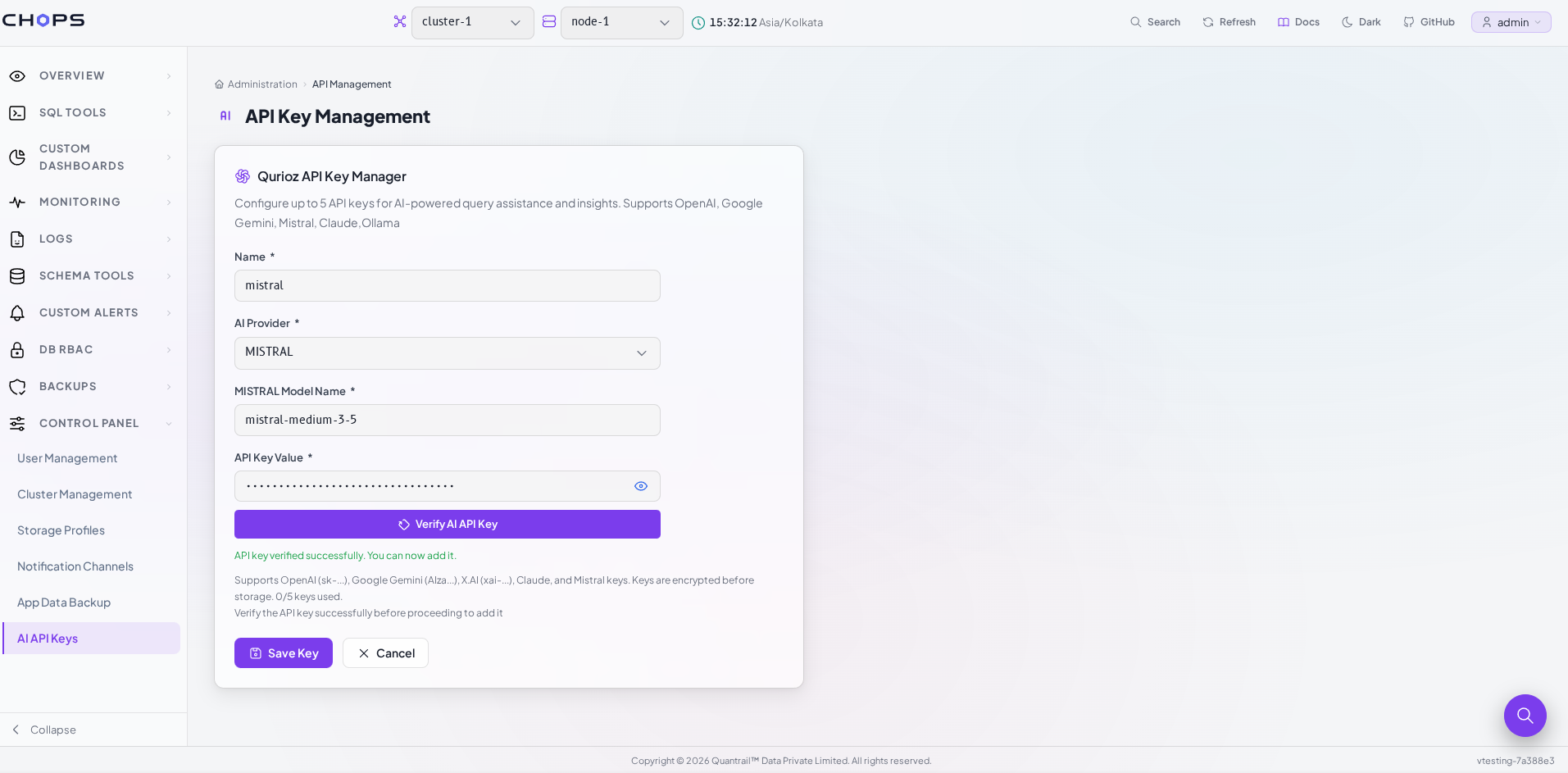
Since Qurioz AI depends on configured AI providers, a provider must be successfully verified and saved before it can be used for SQL generation.
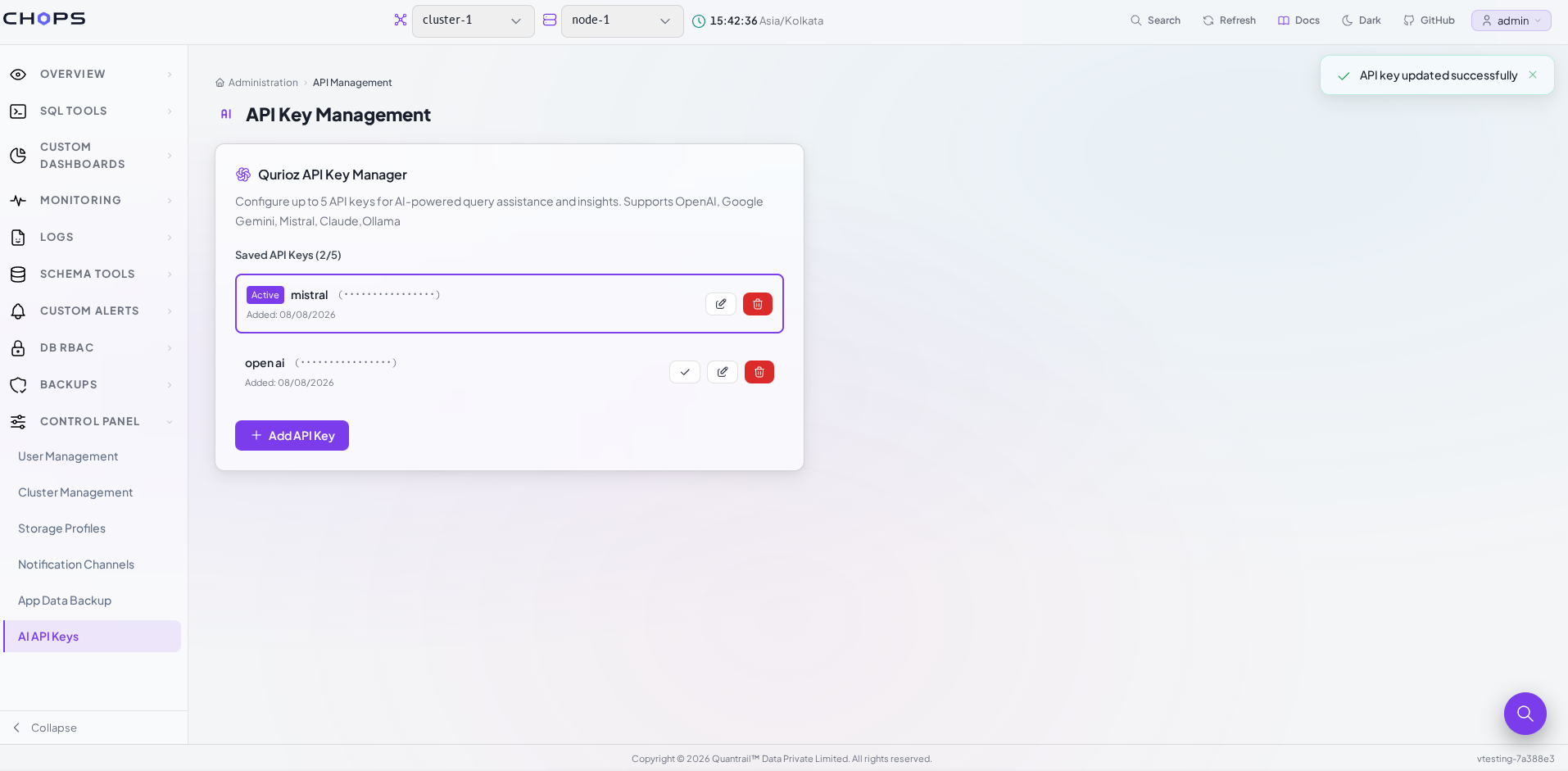
3. Manage Saved API Keys
After verification, the provider can be saved.
The API Key Manager displays all configured providers together with their current status.
Managing configured AI providers.
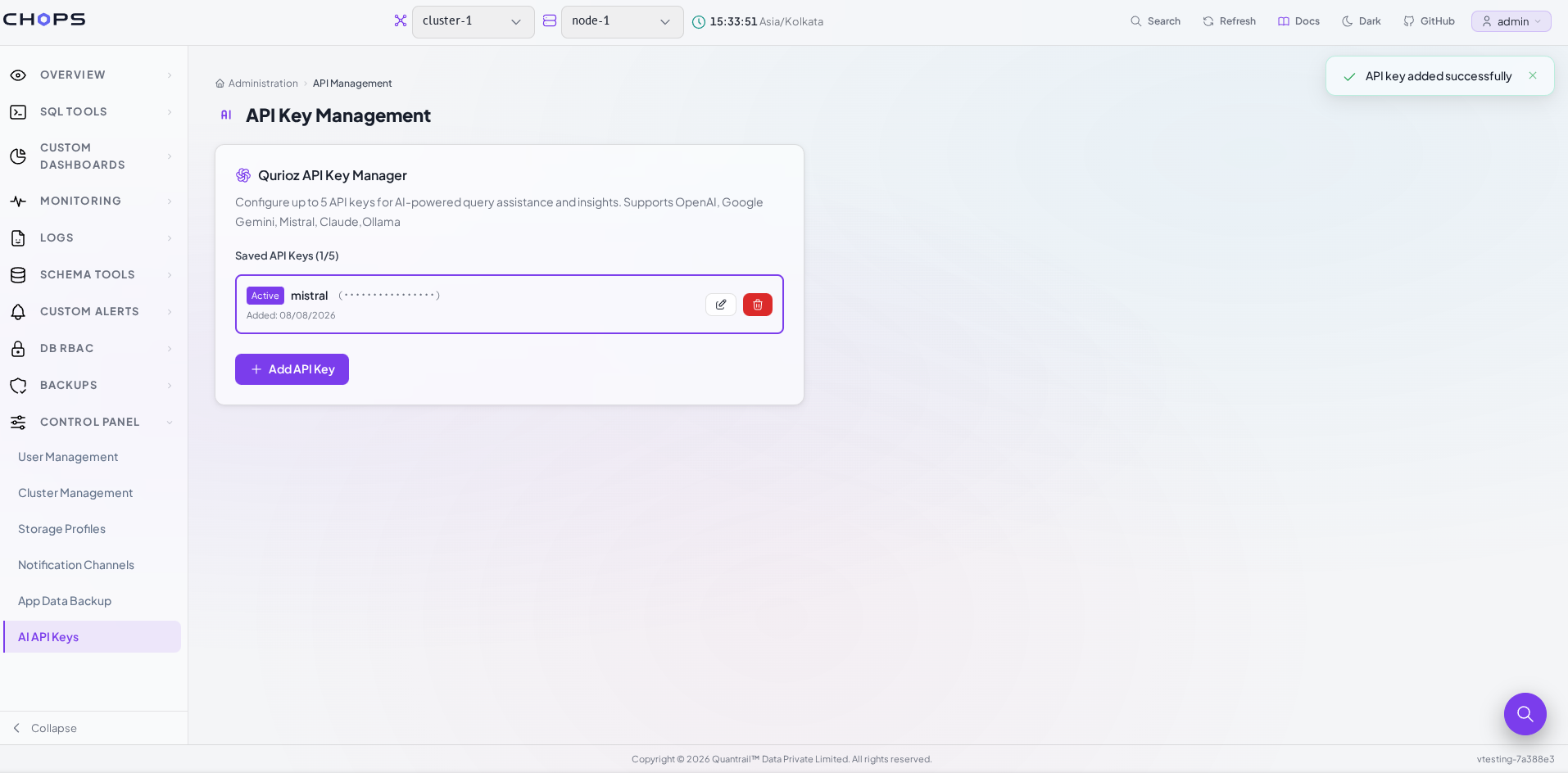
Administrators can:
- View configured providers
- Edit the provider name
- Change the configured model
- Update the API key
- Delete providers that are no longer required
This makes it easy to keep AI provider configurations up to date without recreating them from scratch.
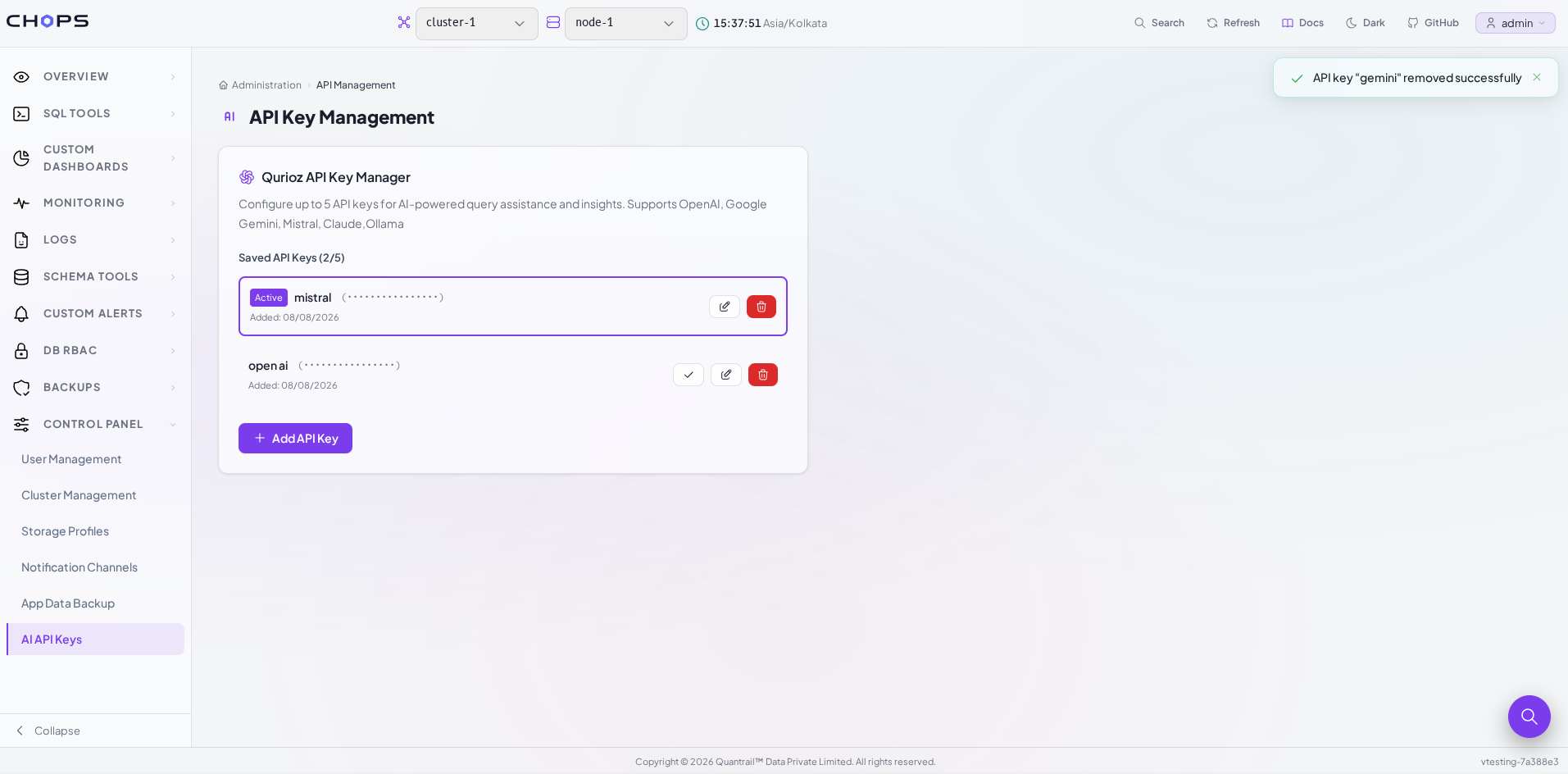
4. Delete an API Key
Administrators can delete an API key when an AI provider is no longer required. Selecting Delete removes the provider from API Key Management and makes it unavailable in Qurioz AI. A new key can be added and verified whenever the provider is needed again.
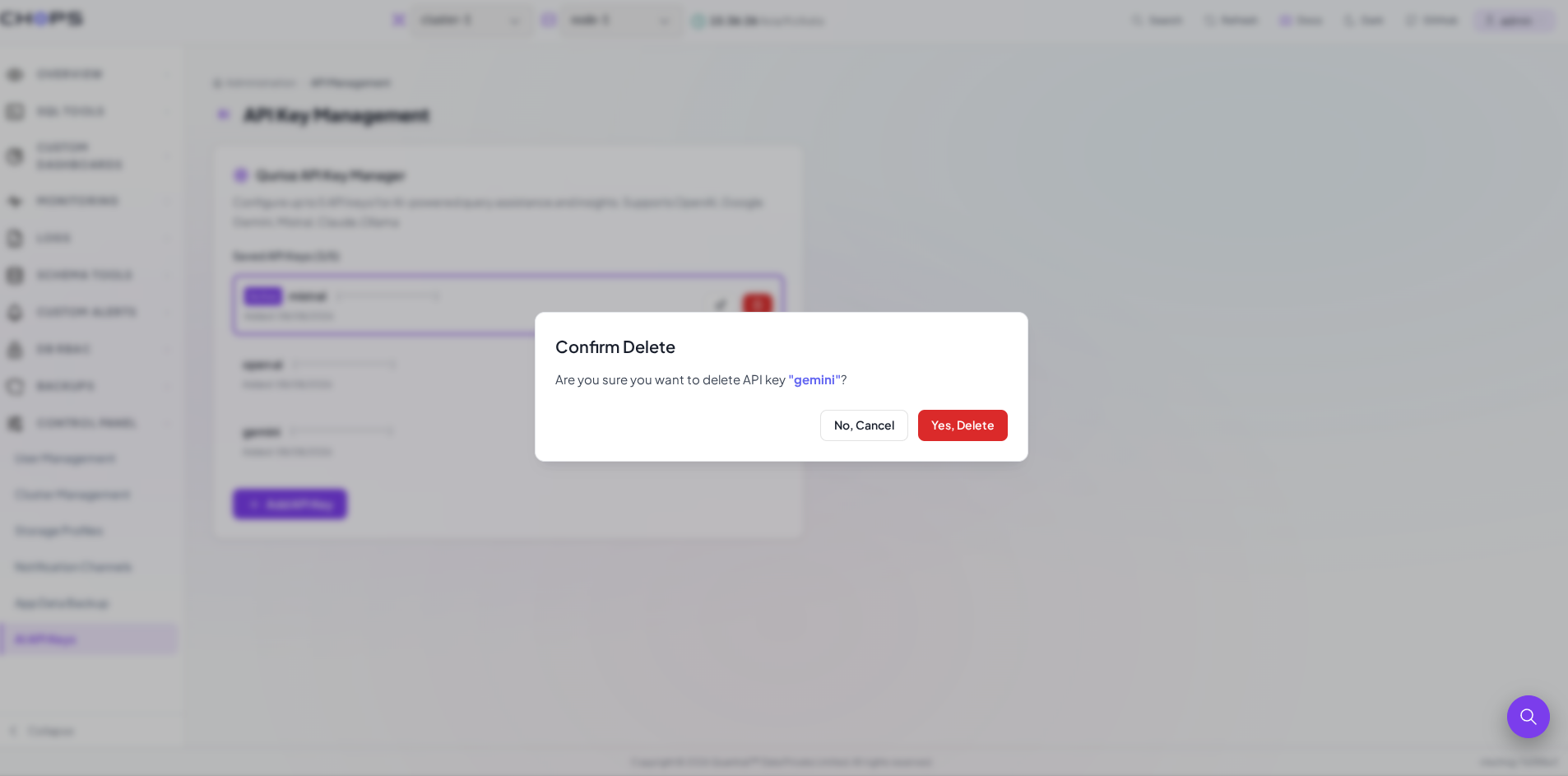
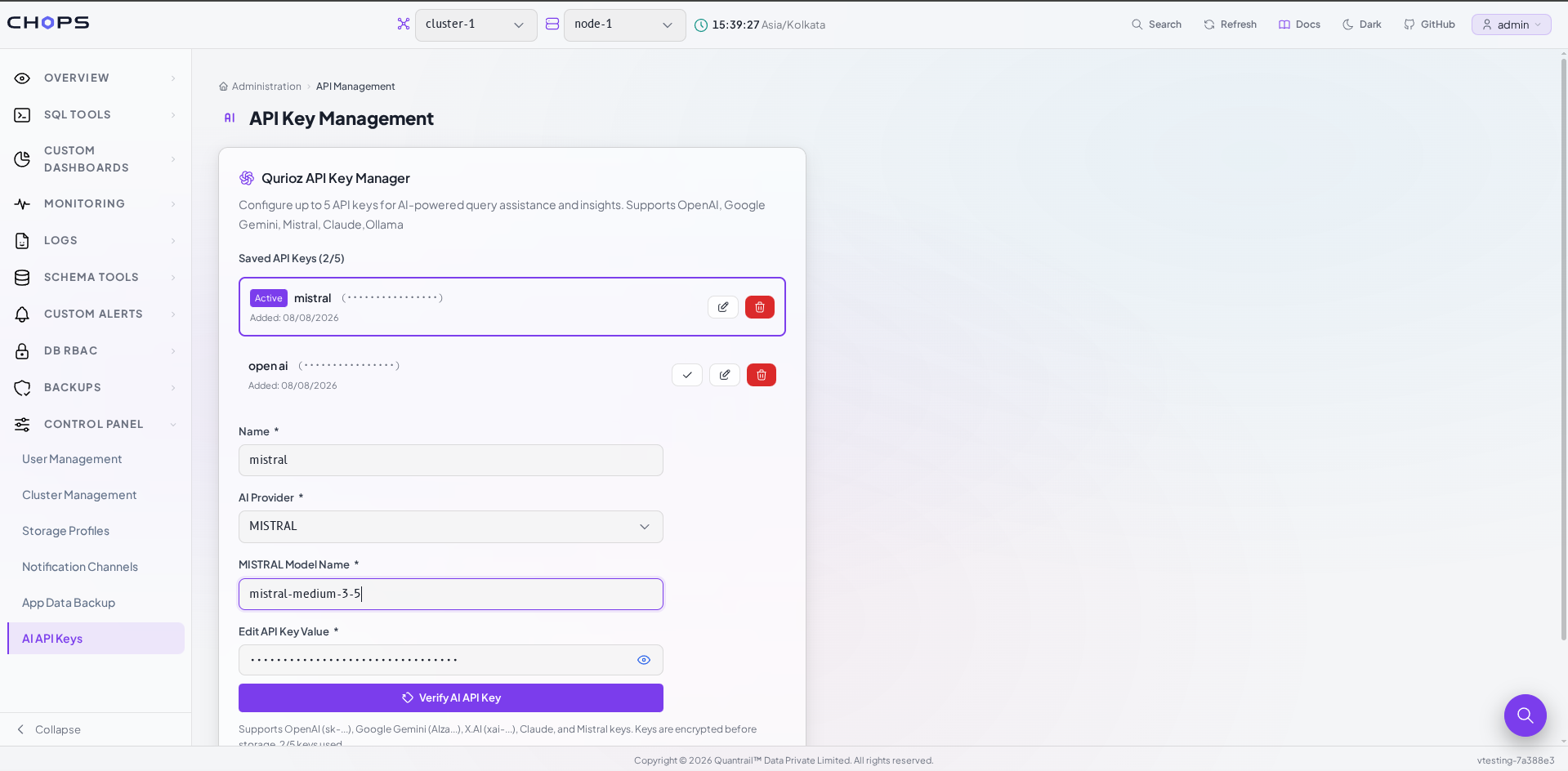
5. Edit an API Key
Administrators can edit an existing provider to update the model name, provider details, or API key. After making changes, the updated API key can be verified and saved without creating a new provider.
Using Configured Models in Qurioz AI
After an AI provider has been configured, no additional setup is required.
Navigate to:
SQL Tools → Qurioz AI
The configured providers automatically appear in the model selection dropdown.
Switching between configured AI providers inside Qurioz AI.
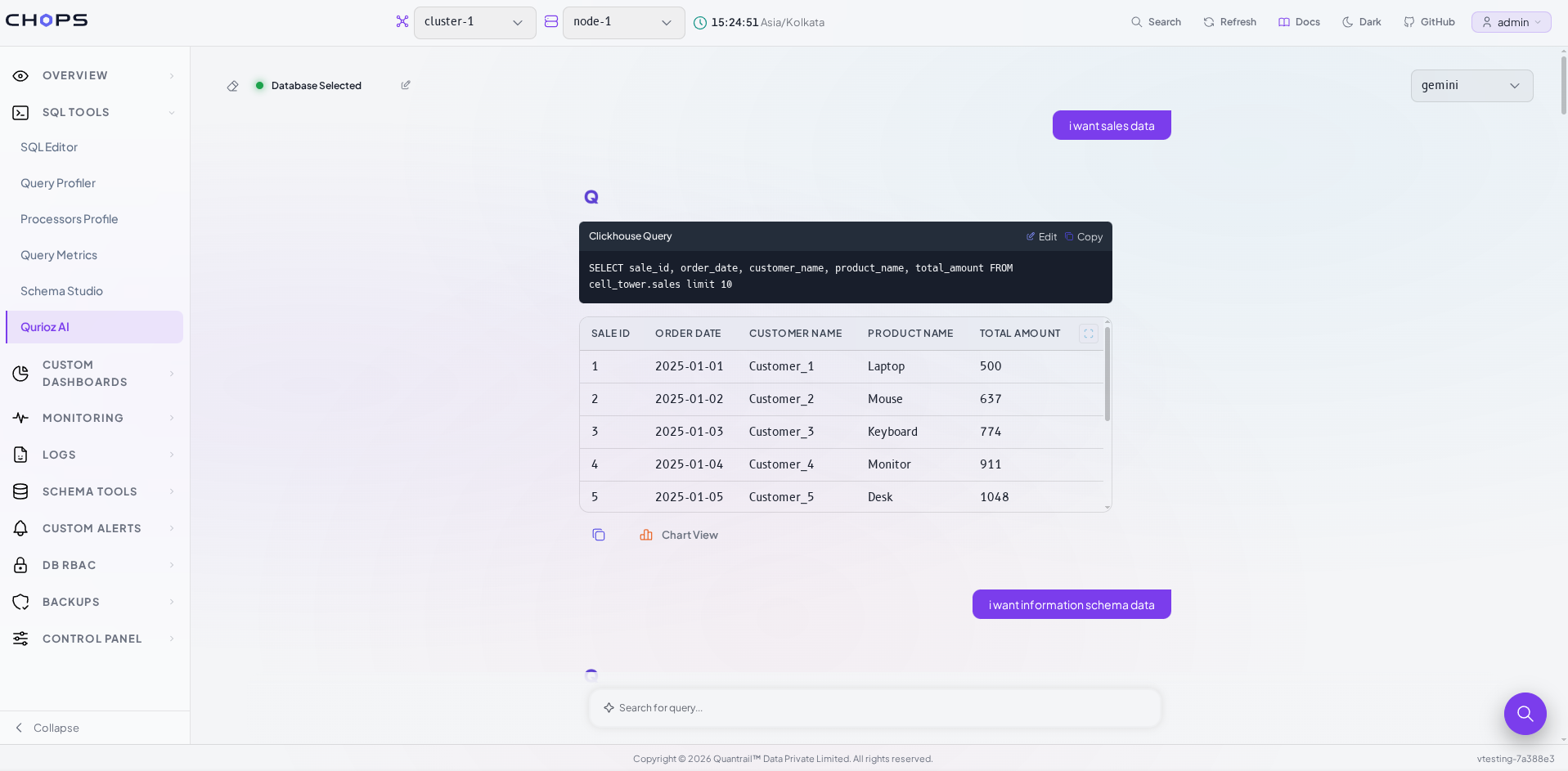
Users can simply choose the model they want to use before asking questions.
Once selected, Qurioz AI uses that provider to:
- Understand natural language questions
- Generate ClickHouse® SQL queries
- Execute queries against the selected database
- Explain query results in simple language
Switching the dropdown immediately changes the AI provider used for subsequent requests, allowing users to compare responses from different models without leaving the interface.
Why API Key Management Matters
API Key Management separates provider configuration from everyday usage.
Administrators configure providers only once, while users simply select the model they want inside Qurioz AI.
By validating API keys before storage and exposing configured providers directly within the AI interface, CH-Ops creates a seamless workflow between configuration and AI-assisted querying.
Support for multiple providers also makes it easy to compare models, evaluate their responses, and choose the most suitable AI for different analytical tasks.
Conclusion
Reliable AI-assisted analytics begin with secure AI provider configuration.
The API Key Management feature in CH-Ops provides a centralized way to configure and validate OpenAI, Gemini, Claude, Mistral, and Ollama providers before they are used by Qurioz AI.
Once configured, these providers integrate directly with Qurioz AI, allowing users to switch between models effortlessly while generating ClickHouse® SQL queries using natural language.
By combining secure API key management with flexible model selection, CH-Ops simplifies both the administration and everyday use of AI-powered analytics.
References
Next in the CHOps series
Design a ClickHouse® Table Without Hand-Writing DDL: Schema Studio