Open Source · A Universal GUI and Admin Tool for ClickHouse®

A universal GUI and admin tool for the ClickHouse® database. One UI for every cluster you run.

CHOps is an open-source GUI and admin tool for the ClickHouse® database that works everywhere your clusters run: self-hosted, VM-based, Kubernetes, and managed ClickHouse®. Run queries, monitor clusters, profile queries, build dashboards, manage access, and back up data from one browser tab.
See It in Action

One GUI for every ClickHouse® cluster you run

Watch CHOps manage a ClickHouse® database in a short tour: query, monitor, profile, and operate your clusters from one interface, wherever they run.

Loading demo...

The Problem

Stop duct-taping your ClickHouse® stack

Most teams juggle a pile of tools just to run one database. CHOps replaces the patchwork with a single interface, and reads from system tables so it barely touches your storage.

Without CHOps

  • Multiple tools for ClickHouse® database management
  • Grafana + Prometheus or similar stack for basic monitoring
  • Shell scripts and scheduled jobs for backups
  • Raw SQL for user, role, and grant management
  • Query profiling with external tools, no evaluation of query metrics by query type
  • No historical playback when incidents happen
  • No centralized audit trail across the team

With CHOps

  • Reads from ClickHouse® system tables: deep insight, negligible storage
  • Browser-based SQL editor with schema-aware autocomplete
  • Built-in monitoring and visualization builder
  • Qurioz: AI SQL generation with instant visualizations
  • Visual RBAC with interactive grant trees
  • Flame graphs for query profiling and off-the-shelf query metrics visualization
  • DVR-style playback for incident investigation
  • Remote log viewing and service restart even when nodes are down (Pro)
  • SSO, audit logs, and multi-channel alerting (Pro)

Universal

One GUI and admin tool for every ClickHouse® deployment

ClickHouse® runs everywhere now: on your own servers, on VMs, on Kubernetes, and as a managed service. CHOps is the one admin tool that manages all of them, over the standard ClickHouse® HTTP interface, with no lock-in to a single platform.

Self-hosted and VM

Full control over ClickHouse® on your own servers, bare metal, or VMs. CHOps connects over HTTP with nothing installed on your database nodes.

Kubernetes

Manage ClickHouse® running on Kubernetes, including clusters run by the Altinity® Operator or the official ClickHouse® Kubernetes Operator, from the same interface.

Managed ClickHouse®

Point CHOps at ClickHouse® Cloud, Altinity® Cloud, or Aiven for ClickHouse®. If it speaks the ClickHouse® HTTP interface, CHOps manages it.

One interface, one skill set, one place to look. Whether a cluster is on bare metal in your data center or on ClickHouse® Cloud, your team manages it the same way in CHOps.

Self-Hosting

Self-hosting ClickHouse®, made easy

The ClickHouse® engine is world-class. The tools to run it yourself never were. Teams got a choice: wrestle monitoring, backups, RBAC, profiling, and upgrades out of system tables and shell scripts, or pay a managed service to take it off your hands, along with your control, your data, and your bill. CHOps is the third option: the ease of managed, on infrastructure you own.

Your servers. Your data. Your rules.

Run ClickHouse® on bare metal, VMs, or Kubernetes, and manage every cluster from one browser tab.

Run it like a pro without hiring one.

Monitoring, alerting, backups, RBAC, and flame-graph profiling in one place. No dedicated ClickHouse® specialist required.

Free, open source, no lock-in.

Open source under the AGPL, no lock-in, and your database stays on your infrastructure.

Managed ClickHouse® makes operations easy by taking away control. CHOps makes it easy and hands control back.

Get Started

Connect your first cluster in under 5 minutes.

CHOps connects over the standard ClickHouse® database HTTP interface. No agents on your database servers. No VPN required. Manage remote clusters across regions from a single browser tab.

1

Install CHOps

Docker container, standalone binary, or source. Linux and macOS.

2

Connect to ClickHouse®

Enter host, port, and credentials. Encrypted at rest with AES-256-GCM.

3

Start managing

Everything works from your browser. Share access with your team.

Works with every ClickHouse® database deployment

Self-hosted ClickHouse®VM and bare-metal ClickHouse®ClickHouse® on KubernetesClickHouse® CloudAltinity® CloudAiven for ClickHouse®Any deployment with HTTP interface access

Quickstart

Start in 2 minutes with Docker

CHOps ships as a Docker image on Docker Hub and GitHub Container Registry. Pull it, run it, and open your browser. Nothing is installed on your ClickHouse® database servers.

# 1. Generate a session secret
export SESSION_SECRET=$(openssl rand -hex 32)

# 2. Start CHOps
docker run -d --name chops -p 3000:3000 \
  -e SESSION_SECRET="$SESSION_SECRET" \
  -e SUPER_ADMIN_1=admin \
  -e SUPER_ADMIN_1_PASSWORD=change-this-password \
  -e SUPER_ADMIN_1_EMAIL=admin@example.com \
  -v chops-data:/app/data \
  quantrailadmin1/ch-ops:latest

Then open http://localhost:3000 and log in with the super-admin user you set. Change the placeholder password before you deploy anywhere real.

Features

One toolkit. Your whole ClickHouse® database, handled.

Query, monitor, profile, visualize, alert, secure, and back up your clusters from a single open-source app. Powerful for experts, approachable for everyone.

Everything below is free and open source, except items marked Pro which require CHOps Pro.

Query and Explore

  • SQL editor with ClickHouse® aware autocomplete
  • Qurioz AI writes SQL and charts from plain English
  • Comparison mode to run two queries side by side
  • Tables and Parts explorer with engine detection
  • Export to 20+ formats: Parquet, Arrow, ORC, and more
  • Query history, bookmarks, and global search

Monitor and Observe

  • Live Cluster Overview of disk, memory, and CPU
  • Pre-built dashboards for the whole cluster
  • Daily Summary node health report at a glance
  • Spot and kill slow queries in one click
  • DVR-style monitoring playback for incidents
  • Server logs in the browser, no SSH needed
  • Scheduled email reports to your inboxPro

Profile and Tune

  • Query profiler with flame graph views
  • Processors Profile as a pipeline diagram
  • Query Metrics with second-by-second timelines
  • Estimate query cost before you execute
  • Memory Allocator jemalloc efficiency insights
  • Visual EXPLAIN with interactive tree diagrams

Dashboards and Charts

  • Custom dashboards with drag-and-drop layout
  • 12+ chart types including heatmap and sankey
  • Dashboard Filters for parametrized views
  • AI-assisted chart building from plain English
  • Schema Visualizer and Schema Studio for tables
  • Shareable dashboards that read live data

Operate and Stay Ahead

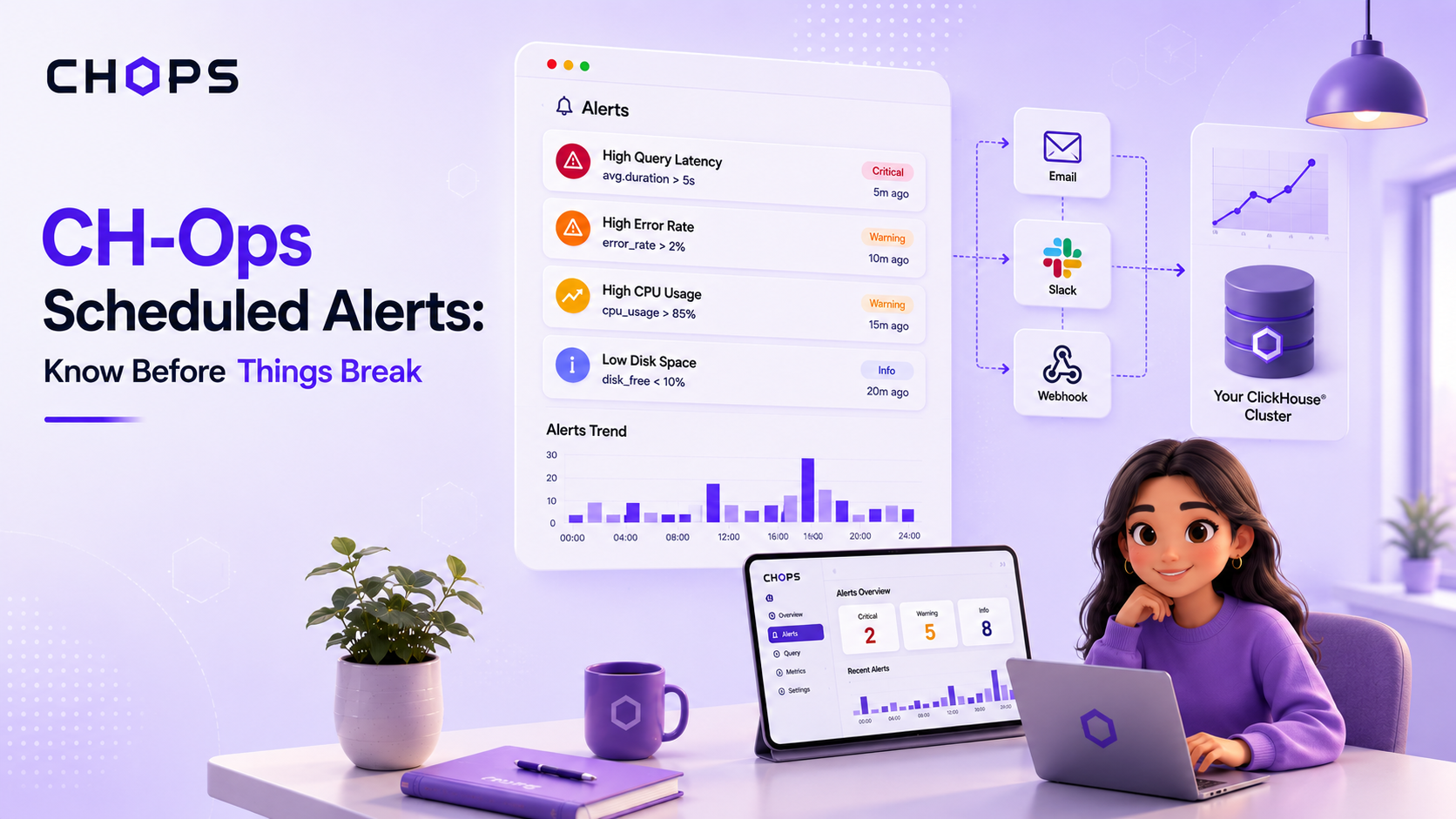
  • SQL-based email alerts with per-node evaluation
  • Kubernetes via Altinity® and official operators
  • Queues view for S3, Azure, and replication
  • Merges, mutations, tables, and parts monitoring
  • DDL and read-only replica tracking
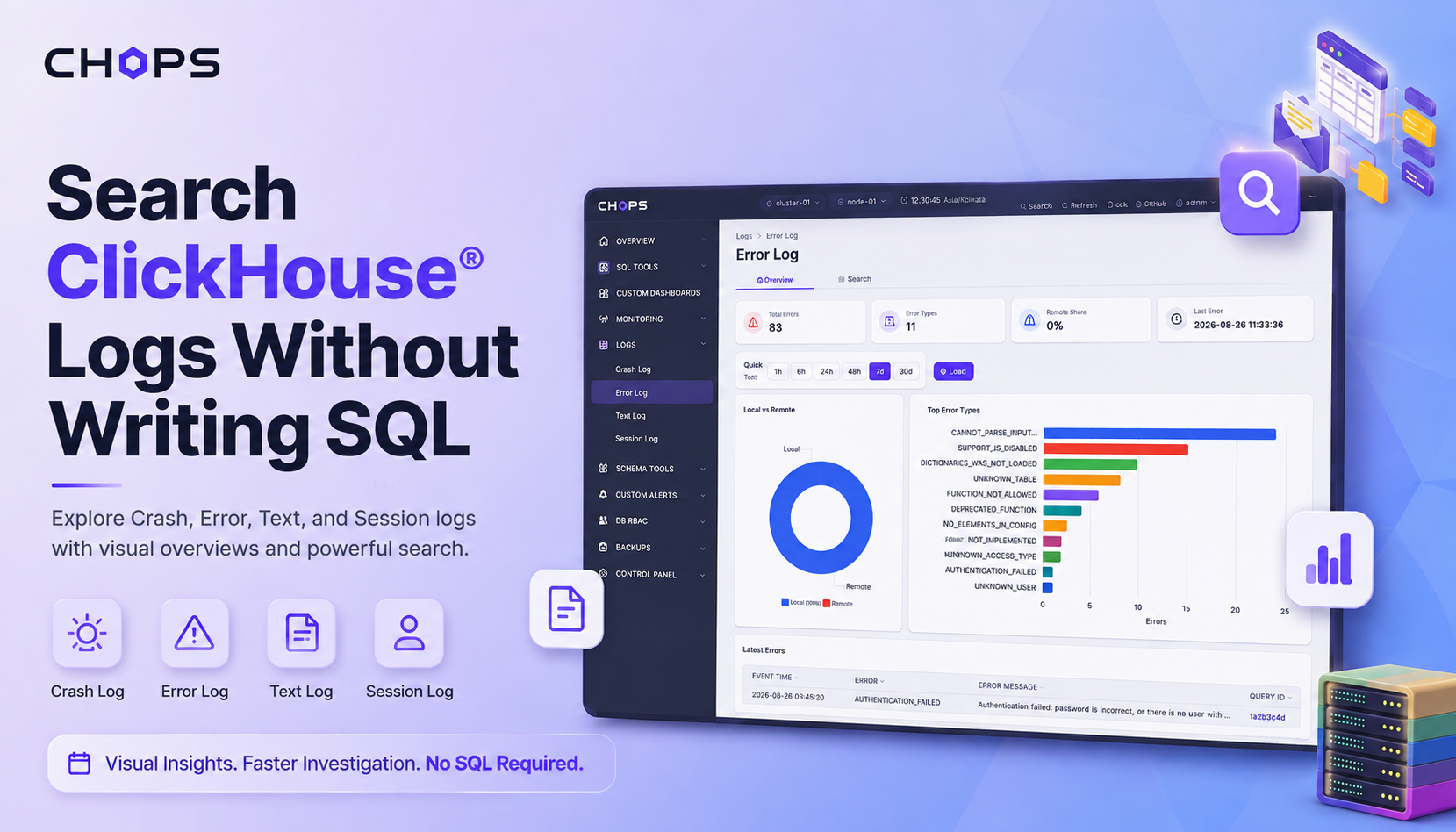
  • Crash, error, text, and session log explorer
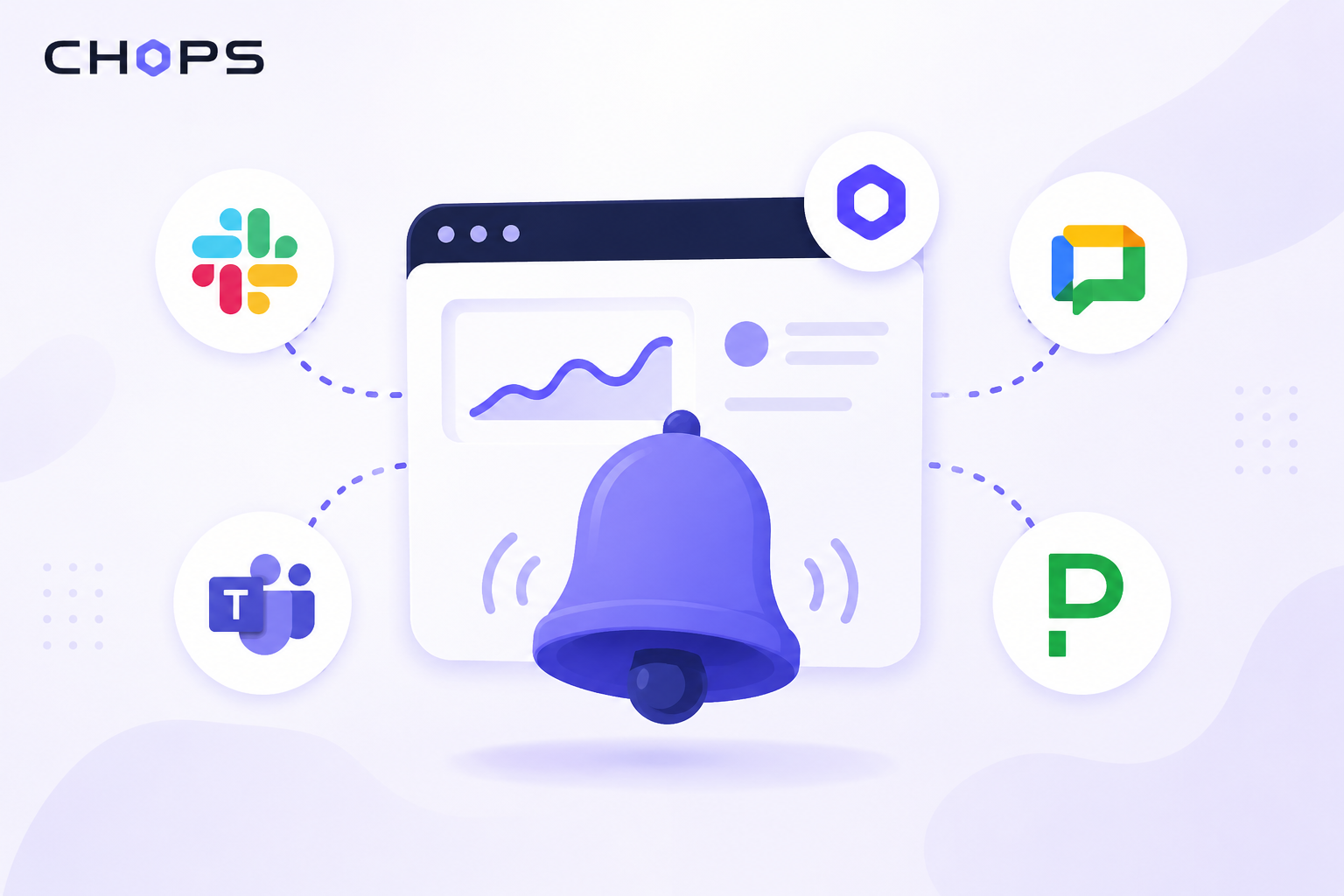
  • Alerts to Slack, Teams, Google Chat, PagerDutyPro
  • Remote cluster management when a node is downPro

Secure, Back Up, and Manage

  • Visual ClickHouse® RBAC with grant trees
  • AES-256-GCM credential encryption, 4 roles
  • Guided BACKUP and RESTORE to S3, GCS, Azure
  • Index and projection management
  • App data backup for disaster recovery
  • Multi-cluster management from one place
  • SSO and tamper-evident audit logPro
  • Scheduled backups, retention, and archivalPro

CHOps Pro

Everything in CHOps, plus enterprise features for teams that need SSO, multi-channel alerting, automated backups, and compliance.

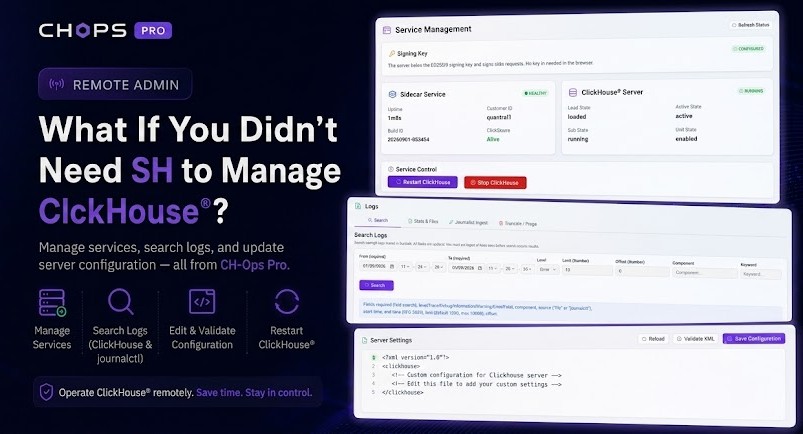
Remote Cluster Management - view logs, update configs, start/stop/restart ClickHouse® services even when nodes are down
SSO support
Higher cluster and node limits (license key)
Scheduled email reports with HTML delivery
Slack, Google Chat, Microsoft Teams, and PagerDuty alerts
Scheduled automated backups with retention policies
Scheduled Archival - run SQL on a schedule and upload results to S3-compatible storage
Audit log with 50+ action types and PDF export
Priority support with SLAs
Commercial license

CHOps Pro Exclusive

Remote Cluster Management

When a ClickHouse® database node goes down, most tools go dark with it. CHOps Pro keeps you in control. View server logs directly from the filesystem, update ClickHouse® configuration files, and start, stop, or restart services remotely. All without SSH access and without installing CHOps on the node itself.

View logs even when the database process is unresponsive
Update server configuration files remotely
Start, stop, and restart ClickHouse® services
Lightweight agent with encrypted communication

Pricing

Free to run. Ready to scale.

CHOps

$0 to start

Open source under the AGPL, with a commercial license available for teams that need it.

Get CHOpsAsk about a commercial license
  • SQL editor with autocomplete, history, bookmarks, export
  • Cluster monitoring with pre-built dashboards
  • Query profiler with flame graphs
  • DVR-style monitoring playback
  • Custom dashboards with 12+ chart types and dashboard filters
  • Query comparison, processors profile, and query metrics
  • Schema Visualizer and Schema Studio
  • Email alerting with per-node evaluation
  • ClickHouse® database RBAC with visual grant trees
  • Backup and restore (S3, GCS, Azure)
  • Index and projection management
  • App data backup and restore
  • Server log viewer
  • ClickHouse® on Kubernetes, via the Altinity® or official operator
  • Multi-cluster support (up to 3 clusters / 18 nodes, editable in source)
  • App-level user management (4 roles)
  • Docker, binary, and source deployment
  • Community support via GitHub
  • AGPL open-source license

CHOps Pro

Contact us

Commercial license. Production teams, enterprise, regulated industries.

Book a Demo

Everything in CHOps, plus:

  • Remote Cluster Management (view logs, update configs, restart services)
  • SSO support
  • Higher cluster and node limits, set by license key
  • Scheduled email reports (SQL on a schedule)
  • Slack, Teams, Google Chat, PagerDuty alerts
  • Scheduled backups with retention policies
  • Audit log (50+ actions, PDF export)
  • Priority support with SLAs
  • Commercial license

Enterprise Add-ons

Custom deployment supportOn-premises installationTeam trainingDedicated support channelCustom integrationsClickHouse® database consultancy
Talk to Us →

Book a Demo

Tell us about your ClickHouse® database setup and we will schedule a walkthrough.

0/2000 characters (minimum 30)

A copy of your message will be sent to your email address.

Need help with your ClickHouse® database infrastructure?

The team behind CHOps also provides ClickHouse® database consultancy, performance tuning, migration services, and managed database operations through Quantrail.

Learn About Quantrail Services

FAQ

Frequently asked questions

Qurioz, the built-in AI assistant, works with the major providers: OpenAI, Google Gemini, Anthropic Claude, and Mistral. You supply your own API key for the provider you choose. For teams that do not want data leaving their environment, CHOps also supports a bring-your-own model deployed on a local Ollama server, so AI SQL generation runs entirely on your own infrastructure for enhanced privacy.

No. CHOps under the AGPL is the full software, with 25+ features: SQL editor, Qurioz AI SQL generation, cluster monitoring, query profiler with flame graphs, DVR playback, custom dashboards with 12+ chart types, email alerting, visual RBAC management, backup and restore, index management, app data backup, and multi-cluster support. It has a default limit of 3 clusters and 18 nodes, but because you have the source, raising that limit is a simple file edit. CHOps Pro is a separate product that adds features like SSO, audit log, and sidecar remote management.

CHOps is dual-licensed. Use it under the open-source AGPL at no cost, or choose a commercial license for the same software (contact us for pricing). CHOps Pro is a separate, commercially licensed product that adds enterprise features.

CHOps encrypts all stored database credentials with AES-256-GCM. User passwords are hashed with Argon2id. Sessions expire automatically after 2 hours of inactivity. Brute-force protection locks accounts after repeated failed login attempts. Rate limiting protects the application from abuse. CHOps Pro adds SSO support and a tamper-proof audit log with verified PDF export for compliance.

Remote Cluster Management is a CHOps Pro feature that lets you manage ClickHouse® database nodes even when the database process is unresponsive. A lightweight proprietary binary runs on each ClickHouse® node and communicates with CHOps over encrypted channels. Through this binary, you can view server logs from the logs directory, update ClickHouse® server configuration files, and start, stop, or restart ClickHouse® services. CHOps itself does not need to be installed on the ClickHouse® node.

CHOps Pro is a separate, commercially licensed product. It adds sidecar-based remote cluster management (view logs, update server configs, start/stop/restart ClickHouse® services remotely even when nodes are down), SSO support, higher cluster and node limits set by a license key, scheduled email reports, multi-channel alerting (Slack, Teams, Google Chat, PagerDuty), scheduled automated backups with retention policies, audit logging with PDF export, and priority support with SLAs.

Yes. CHOps connects via the HTTP interface, which all ClickHouse® Cloud plans support. All features work with ClickHouse® Cloud except Remote Cluster Management, which requires CHOps remote agent on your nodes. It also works with Altinity® Cloud, Aiven for ClickHouse®, Kubernetes deployments, and any self-hosted setup.

For CHOps, no. CHOps connects over the ClickHouse® HTTP interface with nothing installed on your servers. For Remote Cluster Management (Pro), a lightweight proprietary binary runs on your ClickHouse® nodes. This binary communicates with CHOps application over encrypted channels and enables remote log viewing, config updates, and service management even when the database process is down.

CHOps uses a local SQLite file (typically under 5 MB) for its own configuration: alerts, dashboards, users, and settings. It does not store your ClickHouse® data. You can also back up CHOps app data itself to S3, GCS, or Azure for disaster recovery.

Yes. CHOps compiles into a standalone executable with no runtime dependencies. Available for Linux x64 and macOS ARM. Docker images and Docker Compose files are also provided.

CHOps manages up to 3 ClickHouse® database clusters and 18 nodes by default. Under the AGPL you have the source, so raising that limit is a simple file edit. CHOps Pro enforces limits through a license key instead, so you can add nodes up to the number in your contract without editing anything.

CHOps does not modify your ClickHouse® data unless you explicitly run a query that does so. Database credentials are encrypted with AES-256-GCM. User passwords are hashed with Argon2id. Sessions expire after 2 hours. Brute-force protection locks accounts after failed login attempts.

CHOps currently supports ClickHouse® 26.3 LTS. Other versions should work as well, but some features may not be available on older releases. CHOps connects via the HTTP interface, which is stable across versions.

Yes. The team behind CHOps also provides ClickHouse® database consultancy, performance tuning, migration services, and managed database operations through Quantrail.