Moving data from operational systems into an analytical database is an important part of modern data architectures. While transactional databases handle application workloads, analytical systems are optimized for processing and querying large volumes of data.
ClickHouse Cloud provides ways to connect external data sources and bring data into ClickHouse for analytics. In this exploration, I connected Neon PostgreSQL to ClickHouse Cloud using ClickPipes and explored how Change Data Capture (CDC) synchronizes data from the source database.
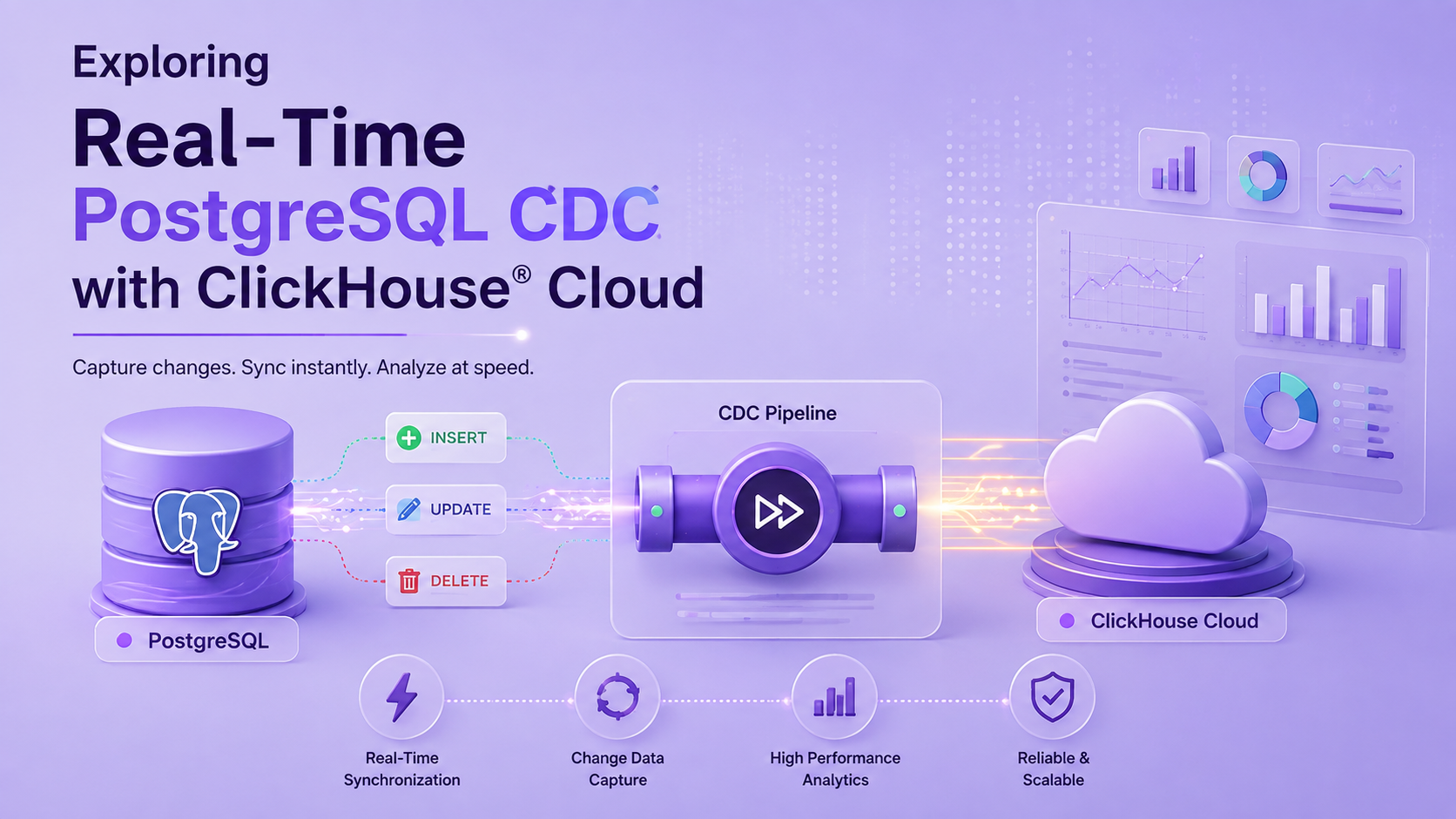
Data Flow Overview
The setup used Neon PostgreSQL as the source database, ClickPipes as the integration layer, and ClickHouse Cloud as the destination for querying and analytics.
Neon PostgreSQL
       ↓
   ClickPipes
       ↓
ClickHouse Cloud
       ↓
Queries and Analytics
I explored the complete flow, including the initial data load and subsequent INSERT, UPDATE, and DELETE operations.
Choosing the PostgreSQL Source
I initially tried using a local PostgreSQL instance and configured it for logical replication. However, connecting the local database to ClickHouse Cloud required additional network configuration. To simplify the integration, I switched to Neon PostgreSQL as the cloud-hosted source.
Exploring the Integration Components
ClickHouse Cloud
ClickHouse Cloud is a managed service that simplifies running ClickHouse without managing the underlying infrastructure. It provides a managed environment for ingesting, storing, querying, and analyzing data. During this exploration, I used ClickHouse Cloud to configure the PostgreSQL integration, verify synchronized data, and explore features such as charts, dashboards, and backups.
Neon PostgreSQL
Neon is a cloud-based PostgreSQL platform used as the source database for this exploration. I created an orders table with sample data and used it to test how existing records and subsequent changes could be synchronized with ClickHouse Cloud.
I created an orders table and inserted sample data to represent a transactional data source. The table included information such as:
- Order ID
- Customer name
- Product name
- Category
- Quantity
- Amount
- Order status
- Order date
This data was then used to test how existing records and subsequent changes could be synchronized with ClickHouse Cloud.
ClickPipes and Change Data Capture
ClickPipes is ClickHouse Cloud's data integration service for moving data from supported sources into ClickHouse. For this exploration, I used a PostgreSQL CDC ClickPipe.
The ClickPipe first loaded the existing data from the PostgreSQL orders table. After the initial load, Change Data Capture allowed subsequent INSERT, UPDATE, and DELETE operations in the source database to be synchronized with ClickHouse.
This allowed me to explore both the initial synchronization and how ongoing data changes are handled.
Exploring a PostgreSQL Integration in ClickHouse Cloud
To explore the integration, I first prepared the PostgreSQL source in Neon.
An orders table was created and populated with 10 sample rows.
CREATE TABLE orders (
    order_id INT PRIMARY KEY,
    customer_name VARCHAR(100),
    product_name VARCHAR(100),
    category VARCHAR(100),
    quantity INT,
    amount DECIMAL(10,2),
    order_status VARCHAR(50),
    order_date TIMESTAMP DEFAULT NOW()
);
After preparing the source data, I moved to ClickHouse Cloud and created a PostgreSQL ClickPipe.
The ClickPipe was configured with the Neon PostgreSQL connection details, and the public.orders table was selected as the source table.
The destination table created in ClickHouse Cloud was:
public_orders
 Configuring the ClickPipe connection with the Neon PostgreSQL database.
Initial Data Load
After the ClickPipe was created, the existing records from the selected PostgreSQL table were loaded into ClickHouse Cloud as part of the initial synchronization.
The ClickPipe status page provides information about the synchronization progress. Once completed, the table showed:
- Completed: 1
- Rows processed: 10
This confirmed that the 10 rows initially stored in Neon PostgreSQL were successfully loaded into ClickHouse Cloud.

The neon-postgres-cdc ClickPipe is running after the initial PostgreSQL records were synchronized to ClickHouse Cloud.

ClickPipe details showing the PostgreSQL Snapshot + CDC configuration and its running status.
Querying the Replicated Data
After the initial load was complete, I explored the replicated table using the ClickHouse Cloud SQL Console.
The following query was used:
SELECT * FROM default.public_orders;The result returned all 10 rows that were originally inserted into Neon PostgreSQL.
This confirmed that the PostgreSQL source data was available for querying in ClickHouse Cloud.
The destination table also included metadata columns related to synchronization, such as:
_peerdb_synced_at_peerdb_is_deleted_peerdb_version
These columns provide additional information about how records are synchronized and tracked.
 PostgreSQL data replicated to ClickHouse Cloud.
Exploring Change Data Capture
After verifying the initial load, I explored how ClickPipes handled changes made to the PostgreSQL source.
The following CDC operations were tested:
INSERT → UPDATE → DELETE
INSERT: Adding a New Record
A new order was inserted into the Neon PostgreSQL database.
INSERT INTO orders (order_id, customer_name, product_name, category,
 quantity, amount, order_status, order_date)
VALUES (11, 'Gayathri', 'Wireless Mouse', 'Electronics',
 1, 1200, 'completed', NOW());
After the synchronization interval, the new record was queried from ClickHouse Cloud:
SELECT * FROM default.public_orders
WHERE order_id = 11;
The new row appeared in the ClickHouse destination table, confirming that the INSERT operation had been captured and synchronized.
UPDATE: Synchronizing Changes
Next, the same record was updated in Neon PostgreSQL.
UPDATE orders
SET amount = 1500,
    order_status = 'processing'
WHERE order_id = 11;
After the update was synchronized, multiple versions of the record could be present because CDC tracks changes using version metadata. To retrieve the latest state of the record, I queried the table using FINAL:
SELECT * FROM default.public_orders FINAL
WHERE order_id = 11;
The result returned the latest values:
- amount = 1500
- order_status = processing
This allowed me to explore how changes to an existing PostgreSQL record are represented in the ClickHouse destination.

Updated PostgreSQL data synchronized to ClickHouse.
DELETE: Capturing a Delete Event
Finally, I deleted the test record from Neon PostgreSQL.
DELETE FROM orders WHERE order_id = 11;After synchronization, I checked the record in ClickHouse Cloud.
SELECT * FROM default.public_orders FINAL
WHERE order_id = 11;
Instead of immediately removing the record from the destination table, the synchronized change was represented using the _peerdb_is_deleted metadata column. For the deleted record, its value was 1.
 Deleted record marked with
 _peerdb_is_deleted = 1.
Exploring Data in ClickHouse Cloud
After completing the CDC tests, I used the ClickHouse Cloud SQL Console to query the synchronized data and visualized the query results using charts.
The synchronized PostgreSQL data could be used directly for analytical queries. For example:
SELECT *
FROM default.public_orders
ORDER BY order_id;
I also explored the chart functionality available from the query results.
Using the chart interface, relevant columns from the replicated data were selected to configure the visualization. For example, the order data can be analyzed using fields such as:
- order_id
- amount
- quantity
- category
- order_status
This part of the exploration showed that the integration does not end after data ingestion. Once data reaches ClickHouse Cloud, it can be queried and explored for analytical purposes within the platform.
 Chart visualizing order amounts by order ID.
What I Explored
| Area | What I Explored |
|---|---|
| Source Database | Created and used Neon PostgreSQL |
| Data Preparation | Created an orders table with 10 sample records |
| Integration | Connected PostgreSQL using ClickPipes |
| Initial Load | Loaded existing PostgreSQL data into ClickHouse |
| CDC | Tested INSERT, UPDATE, and DELETE operations |
| Querying | Queried replicated data using the SQL Console |
| CDC Metadata | Explored version, sync, and delete metadata |
| Charts | Explored visualizing query results using charts |
Key Observations
A few important observations from this exploration were:
- ClickPipes simplified connecting the PostgreSQL source to ClickHouse Cloud.
- The initial load transferred existing data before testing new changes.
- New INSERT operations were synchronized to the destination table.
- UPDATE operations were represented with version information, allowing the latest record to be retrieved using FINAL.
- DELETE operations were represented using the
_peerdb_is_deletedmetadata. - The synchronized data could be immediately queried and explored in ClickHouse Cloud.
- The SQL Console and chart options provided a way to move from data ingestion to basic analytical exploration.
Conclusion
This exploration provided a practical introduction to how ClickHouse Cloud integrations can connect an external data source with an analytical platform.
Using Neon PostgreSQL as the source database and ClickPipes for PostgreSQL CDC, I explored the complete workflow from preparing source data and performing the initial load to synchronizing ongoing INSERT, UPDATE, and DELETE operations. The exploration also included querying the synchronized data and visualizing query results using charts in ClickHouse Cloud.
Overall, this demonstrated how PostgreSQL can continue handling transactional workloads while ClickHouse Cloud receives synchronized data for analytical queries and exploration. It also provided a useful starting point for understanding how data sources, ClickPipes, CDC, querying, and analytics features work together within ClickHouse Cloud.