The problem
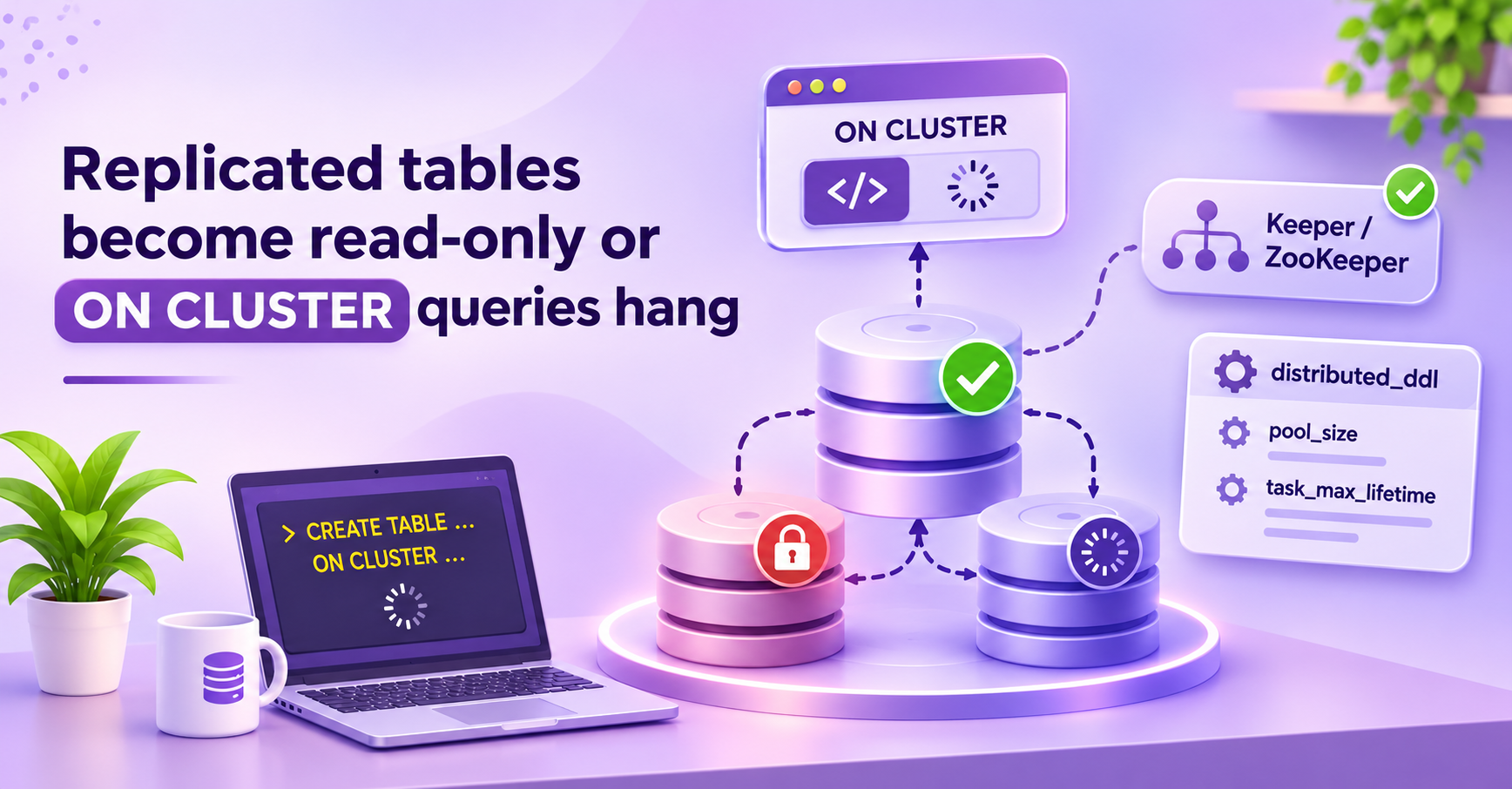
You run an INSERT into a ReplicatedMergeTree table. It fails with a "table is in readonly mode" error. Or you run CREATE TABLE ... ON CLUSTER and the client waits until it times out.
Both problems have the same cause. ClickHouse lost its connection to Keeper or ZooKeeper. Replicated tables need Keeper for every write. ON CLUSTER queries need Keeper to send tasks to other servers.
This article shows how to confirm the cause with system tables. It explains the server settings that control the Keeper session and the DDL queue. It also shows how to fix the problem and what risks each change has.
Why it happens
Each ClickHouse server opens one session to Keeper. The server keeps ephemeral nodes in this session. A replica uses them to show that it is alive.
If the session expires, Keeper deletes these nodes. The replica can no longer write to the shared log. ClickHouse then sets the table to read-only mode. The table returns to normal when the server opens a new session and finishes the restart steps for the table.
A session can expire for these reasons:
- The network between ClickHouse and Keeper drops packets or adds delay.
- Keeper is slow because of disk latency, CPU load, or a long garbage collection pause (ZooKeeper only).
- The ClickHouse host is overloaded and the client thread cannot send heartbeats in time.
- The Keeper leader changes and clients lose their connection.
ON CLUSTER queries work in a different way. The initiator writes a task to a queue in Keeper. Each host reads the queue and runs the task. The host that runs a task uses a worker pool. The default pool has one worker, so one slow task blocks the tasks behind it. A host that is down or read-only also stops a task from finishing.
How to confirm
First, check the connection from the server to Keeper.
SELECT name, host, port, index, is_expired, session_uptime_elapsed_seconds
FROM system.zookeeper_connection;
The is_expired column must be 0. A small session_uptime_elapsed_seconds value means the server reconnected recently. Column names can change between versions.
Second, find the tables that are read-only.
SELECT database, table, is_readonly, is_session_expired, zookeeper_exception
FROM system.replicas
WHERE is_readonly OR is_session_expired;
The zookeeper_exception column often shows the real error text. Look for "Session expired" or "Operation timeout".
Third, look at the DDL queue.
SELECT entry, cluster, host, status, exception_code, query_create_time, query
FROM system.distributed_ddl_queue
WHERE status != 'Finished'
ORDER BY query_create_time;
Old entries with a status other than Finished show tasks that wait or fail. Check the host column. If one host appears in all the stuck entries, look at that host first.
You can also count read-only replicas with a metric.
SELECT metric, value
FROM system.metrics
WHERE metric = 'ReadonlyReplica';
Read the server log for session messages. Search for "Session expired" and "ZooKeeper session has been expired". Match the log times with network or Keeper events.
The settings
Check the defaults on your own server. The values below come from the ClickHouse master branch, commit 9f79cc1, 30 October 2026. They can be different on your version. Use system.server_settings for server settings and system.settings for query settings.
| Setting | Default | What it controls | Restart needed |
|---|---|---|---|
zookeeper.session_timeout_ms | 30000 | Time Keeper waits for a heartbeat before it ends the session | Yes |
zookeeper.operation_timeout_ms | 10000 | Time the client waits for one Keeper operation | Yes |
zookeeper.zookeeper_load_balancing | random | How the client chooses a Keeper node | Yes |
distributed_ddl.pool_size | 1 | Number of worker threads for ON CLUSTER tasks | Yes |
distributed_ddl.task_max_lifetime | 604800 (7 days) | Age after which ClickHouse can remove an old task from the queue | Yes |
The text in this article calls the last two settings distributed_ddl_pool_size and distributed_ddl_task_max_lifetime. In the config file, you write them as pool_size and task_max_lifetime inside the <distributed_ddl> section .
You can see the load balancing options in the ClickHouse docs for your version. Common values are random, in_order, nearest_hostname, hostname_levenshtein_distance, first_or_random and round_robin.
Run this query to see which server settings your version exposes.
SELECT name, value, default, changed
FROM system.server_settings
WHERE name LIKE '%zookeeper%' OR name LIKE '%distributed_ddl%';
Some of these settings can be missing from this table because they are config sections and not top-level server settings . If so, read the effective config from the file.
How to fix it
First, find the cause. Do not change timeouts before you check the network and the Keeper load. A longer timeout hides a problem. It does not fix the problem.
Change 1: Tune the Keeper timeouts
Create the file /etc/clickhouse-server/config.d/zookeeper_timeouts.xml.
<clickhouse>
    <zookeeper>
        <session_timeout_ms>30000</session_timeout_ms>
        <operation_timeout_ms>10000</operation_timeout_ms>
    </zookeeper>
</clickhouse>
Keep these values if your network is stable. Change them only when you see timeouts in the log.
- Set
session_timeout_msto 30000 for a normal network. Raise it to 45000 or 60000 if the link between ClickHouse and Keeper crosses data centers or has high jitter. - Set
operation_timeout_msbelowsession_timeout_ms. A value of 10000 is a good start. Raise it to 20000 if Keeper has slow disk writes during peaks.
Keeper can limit the session timeout. It accepts only values in its own minimum and maximum range. If your value is outside this range, Keeper changes it. Check the Keeper settings min_session_timeout_ms and session_timeout_ms in coordination_settings .
Important: the <zookeeper> section lists the Keeper nodes too. If you already have this section in another file, put the timeouts in that same section. Do not make a second <zookeeper> section with a different node list. Merged config can give an unexpected result.
Restart the server after you change this section .
Change 2: Choose a load balancing mode
Create the file /etc/clickhouse-server/config.d/zookeeper_balancing.xml.
<clickhouse>
    <zookeeper>
        <zookeeper_load_balancing>nearest_hostname</zookeeper_load_balancing>
    </zookeeper>
</clickhouse>
Choose the mode that fits your topology.
- Use
nearest_hostnamewhen Keeper nodes are in different zones and host names are similar to the ClickHouse host name. The client prefers the closest node. This reduces delay. - Use
in_orderwhen you want a fixed priority. The client connects to the first node in the list and moves to the next only on failure. - Use
randomwhen all nodes have the same distance and you want to spread the load. This is the usual default. - Use
first_or_randomwhen you want most clients on one node and a random choice on failure .
A client that connects to a distant node has longer operation delay. That can cause timeouts. Pick a mode that keeps the client close to its Keeper node. Restart the server after the change .
Change 3: Increase the DDL pool size
Use this change when many ON CLUSTER tasks wait and the status column in system.distributed_ddl_queue shows a long list of unfinished entries.
Create the file /etc/clickhouse-server/config.d/distributed_ddl.xml.
<clickhouse>
    <distributed_ddl>
        <path>/clickhouse/task_queue/ddl</path>
        <pool_size>4</pool_size>
        <task_max_lifetime>604800</task_max_lifetime>
    </distributed_ddl>
</clickhouse>- Set
pool_sizeto 4 as a first step. With one worker, a slowALTERblocks all later tasks. Four workers allow parallel work. Do not set a large value. Many parallel DDL tasks put more load on Keeper and on the server. - Keep
task_max_lifetimeat 604800 seconds (7 days) unless the queue grows too large. A shorter value removes old entries sooner. It also removes the history that you may need for debugging. - Keep the
pathvalue as it is on your cluster. A different path points to a different queue.
Restart the server after you change this section.
Apply the changes in order
- Change one group of settings on one replica.
- Restart that replica.
- Check
system.zookeeper_connectionandsystem.replicas. - Repeat on the other replicas, one at a time.
Do not restart all replicas of a shard at the same time. The shard cannot accept writes while all replicas are down.
How to verify the fix
Check that the session is active.
SELECT name, host, is_expired, session_uptime_elapsed_seconds
FROM system.zookeeper_connection;
Check that no table is read-only.
SELECT count() AS readonly_tables
FROM system.replicas
WHERE is_readonly OR is_session_expired;
The result must be 0.
Check that the DDL queue is empty or moves forward.
SELECT status, count() AS tasks
FROM system.distributed_ddl_queue
GROUP BY status;
Run a small test query.
CREATE TABLE default.ddl_test ON CLUSTER '{cluster}'
(
    id UInt64
)
ENGINE = ReplicatedMergeTree
ORDER BY id;
Replace {cluster} with your cluster name, or keep the macro if you defined it in the macros file. Then drop the test table.
DROP TABLE default.ddl_test ON CLUSTER '{cluster}' SYNC;Watch the session uptime for some hours. If the value resets often, the root cause is still in the network or in Keeper. A timeout change did not fix it.
Risks and trade-offs
A short session timeout causes more reconnects. Keeper ends a session when it does not receive a heartbeat in time. A short timeout makes a small network pause enough to expire the session. Each expired session makes tables read-only for a short time. Many replicas that reconnect at the same time also load Keeper.
A long session timeout delays failure detection. If a replica really dies, its ephemeral nodes stay in Keeper longer. Other replicas wait longer before they take over work such as leader tasks.
A long operation timeout makes queries wait. A stuck Keeper call blocks the caller for a longer time. Requests can pile up.
A large DDL pool size increases load. More parallel DDL tasks write more data to Keeper. Tasks that touch the same table can also conflict. Increase the value in small steps.
A short task lifetime loses history. ClickHouse can remove entries before you inspect them. A host that was down for a long time can also miss tasks. Keep the default if you do not have a reason to change it.
Restarts are needed. All settings in this article need a server restart. Plan a rolling restart.
Defaults differ between versions. Check the defaults on your own server with system.server_settings or system.settings. Do not trust the values in this article without a check on your version.
Summary
- A lost Keeper session makes replicated tables read-only. A stuck or slow DDL worker makes
ON CLUSTERqueries wait. - Use
system.zookeeper_connection,system.replicasandsystem.distributed_ddl_queueto find the cause. - Tune
session_timeout_msandoperation_timeout_msfor your network. Choosezookeeper_load_balancingto keep clients close to a Keeper node. - Raise
distributed_ddl.pool_sizein small steps when many DDL tasks wait. - A short session timeout causes more reconnects. Fix network and Keeper problems first. Then change timeouts.