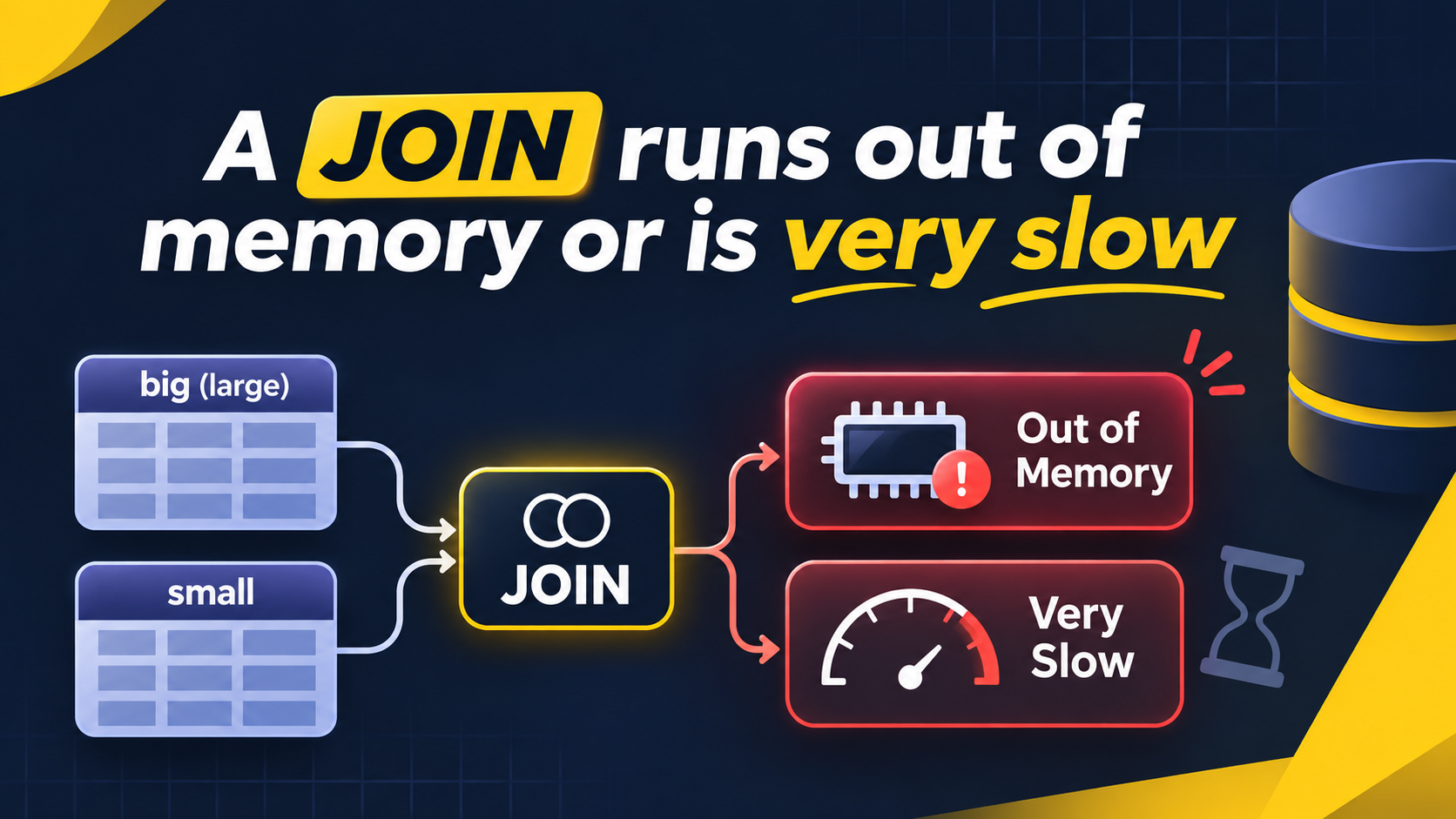
A query with a JOIN fails with a memory error. Or it runs for a long time and uses a lot of RAM.
The error often looks like this on ClickHouse 26.8.1.2041:
Code: 241. DB::Exception: Memory limit (for query) exceeded A JOIN limit can also stop the query. In that case the error mentions the JOIN size limit.
This article covers the session settings for JOIN. These settings apply to a settings profile, a session (SET), or one query (SETTINGS). They do not need a restart.
Why it happens
Hash join algorithms load the right table into memory. ClickHouse builds a hash table from it. Then it reads the left table in a stream and looks up each row.
The left table does not need much memory. The right table decides the memory use. If the right table is large, the hash table is large. The query hits max_memory_usage and fails.
Table order matters because of this. Look at these two queries. The first puts the large table on the right.
SELECT count()
FROM small AS s
INNER JOIN big AS b ON s.id = b.id;
The second puts the small table on the right.
SELECT count()
FROM big AS b
INNER JOIN small AS s ON b.id = s.id;
Both queries return the same result. The first query builds a hash table from big. The second builds it from small. The second query uses much less memory.
Newer versions can swap the tables for you. The setting is query_plan_join_swap_table. Do not rely on this. The optimizer needs good statistics or row estimates. It can still choose the wrong side.
How to confirm
First, find out which tables are in the JOIN. Check how big each one is.
SELECT
    database,
    name,
    total_rows,
    formatReadableSize(total_bytes) AS size
FROM system.tables
WHERE name IN ('small', 'big');
Second, look at the query plan. Use actions = 1 to see the join details.
EXPLAIN PLAN actions = 1
SELECT count()
FROM big AS b
INNER JOIN small AS s ON b.id = s.id;
Find the Join step in the output. It shows the join type and the algorithm. A hash join shows HashJoin. For a hash join, ClickHouse builds the hash table from one input. Check which input this is. The planner can swap the sides when query_plan_join_swap_table is auto.
Third, check the peak memory of past queries.
SELECT
    query_id,
    query_duration_ms,
    formatReadableSize(memory_usage) AS peak_memory,
    read_rows
FROM system.query_log
WHERE type = 'QueryFinish'
  AND event_date = today()
  AND query ILIKE '%JOIN%'
ORDER BY memory_usage DESC
LIMIT 10;
Failed queries have a different type. Use this query to find them.
SELECT
    query_id,
    exception_code,
    formatReadableSize(memory_usage) AS peak_memory
FROM system.query_log
WHERE type = 'ExceptionWhileProcessing'
  AND event_date = today()
  AND query ILIKE '%JOIN%'
ORDER BY event_time DESC
LIMIT 10;
The settings
The defaults below come from ClickHouse master, commit 9f79cc1, 30 October 2026. Defaults change between releases. Check the defaults on your own server with system.settings.
| Setting | Default | What it controls | Restart needed |
|---|---|---|---|
join_algorithm | direct,parallel_hash,hash,ie_join | The list of join algorithms. ClickHouse uses the first one that works for the query. | No |
max_bytes_in_join | 0 (no limit) | The maximum size of the right-hand data structure, in bytes. | No |
max_rows_in_join | 0 (no limit) | The maximum number of rows in the right-hand data structure. | No |
join_overflow_mode | throw | The action when a join limit is reached. Values are throw and break. It applies only to hash, parallel_hash and ie_join. | No |
max_bytes_before_external_join | 0 (disabled) | The size at which a hash-based JOIN starts to write data to disk. grace_hash needs a non-zero value. | No |
grace_hash_join_initial_buckets | 1 | The first number of buckets for grace_hash. | No |
To check the values on your server, run this query.
SELECT name, value, changed
FROM system.settings
WHERE name IN (
    'join_algorithm',
    'max_bytes_in_join',
    'max_rows_in_join',
    'join_overflow_mode',
    'grace_hash_join_initial_buckets'
);
How to fix it
Apply the fixes in this order. The first fixes cost nothing. The last fixes trade speed for memory.
1. Put the smaller table on the right
Do this first. It needs no setting change. Rewrite the query so the small table is the right table.
SELECT count()
FROM big AS b
INNER JOIN small AS s ON b.id = s.id;
2. Make the right table smaller
Select only the columns you need. Filter rows before the JOIN. Both steps reduce the hash table.
SELECT b.id, b.val, s.name
FROM big AS b
INNER JOIN (
    SELECT id, name
    FROM small
    WHERE active = 1
) AS s ON b.id = s.id;
3. Use a dictionary for lookups
A dictionary is a good choice when the right table is a lookup table. The dictionary loads once and stays in memory. Each query does not build a new hash table.
CREATE DICTIONARY small_dict
(
    id UInt64,
    name String
)
PRIMARY KEY id
SOURCE(CLICKHOUSE(TABLE 'small'))
LAYOUT(HASHED())
LIFETIME(MIN 300 MAX 600);
Then use dictGet in the query.
SELECT b.id, dictGet('small_dict', 'name', b.id) AS name
FROM big AS b;
The reason: dictGet does not build a JOIN hash table. Choose the layout for your key. Check the available layouts in the dictionary documentation.
4. Use grace_hash for a large right table
Use grace_hash when the right table does not fit in memory. It splits both tables into buckets. It keeps some buckets on disk. It joins one bucket at a time.
Set it for one query with the SETTINGS clause.
SELECT count()
FROM big AS b
INNER JOIN big2 AS b2 ON b.id = b2.id
SETTINGS
    join_algorithm = 'grace_hash',
    grace_hash_join_initial_buckets = 8;
The reason for the values: grace_hash makes the in-memory part smaller when there are more buckets. Start with 8. Increase it if the query still fails. ClickHouse can increase the bucket count by itself, up to a maximum.
Set it for a session with SET.
SET join_algorithm = 'grace_hash';Set it for a user or role with a settings profile in SQL.
CREATE SETTINGS PROFILE IF NOT EXISTS big_joins
SETTINGS join_algorithm = 'grace_hash'
TO etl_user;
You can also use a profile in users.xml.
<clickhouse>
    <profiles>
        <big_joins>
            <join_algorithm>grace_hash</join_algorithm>
        </big_joins>
    </profiles>
</clickhouse>
Use the profile only for users who run large joins. Do not set it for all users. Most joins are faster with the default algorithm.
5. Use partial_merge when grace_hash is not enough
partial_merge sorts the right table. It can keep sorted blocks on disk. It uses less memory than a hash join, but it is usually slower than grace_hash.
SELECT count()
FROM big AS b
INNER JOIN big2 AS b2 ON b.id = b2.id
SETTINGS join_algorithm = 'partial_merge';
If both tables are already sorted by the join key, test full_sorting_merge.
6. Set limits to fail early
Set a limit on the JOIN hash table. Then a bad query stops before it uses all server memory.
SET max_bytes_in_join = 4000000000;
SET join_overflow_mode = 'throw';
The reason for 4 GB: pick a value below max_memory_usage. The JOIN then fails with a clear error. Do not wait for the general memory error. Adjust the value to the RAM of your server and the number of concurrent queries.
Keep join_overflow_mode at throw. The value break stops the JOIN and returns a partial result without an error. A wrong result is worse than a failed query.
How to verify the fix
Run EXPLAIN again. Check that the algorithm is the one you chose. Check that the small table is on the right.
EXPLAIN PLAN actions = 1
SELECT count()
FROM big AS b
INNER JOIN small AS s ON b.id = s.id
SETTINGS log_comment = 'b3_after_fix';
Now compare the peak memory and the duration. Flush the logs first.
SYSTEM FLUSH LOGS;SELECT
log_comment,
query_duration_ms,
formatReadableSize(memory_usage) AS peak_memory
FROM system.query_log
WHERE type = 'QueryFinish'
AND event_date = today()
AND log_comment LIKE 'b3_%'
ORDER BY event_time DESC;Run the original query with log_comment = 'b3_before_fix'. Run it with the same data and the same settings. Then compare the two rows. Peak memory must go down. Duration can go up if you use a disk-based algorithm.
For grace_hash and partial_merge, also check the disk. Temporary data uses disk space. A query can fail if it reaches the temporary data limit.
Risks and trade-offs
- Disk-based algorithms are slower.
grace_hashandpartial_mergewrite temporary data to disk. A query that took 5 seconds in memory can take minutes. Use them only when the right table is too big for memory. - Disk use goes up. Temporary data needs free space. Monitor the disk that holds the temporary path.
- The
breakmode is dangerous. It returns incomplete results with no error. Usethrow. - Limits can break good queries. A low
max_bytes_in_joinstops queries that were fine before. Test the value before you put it in a default profile. - Dictionaries use memory all the time. The dictionary stays loaded between queries. It also needs a refresh. Stale data is possible between refreshes.
- Defaults change between versions. The default
join_algorithmlist and the optimizer behavior are different in different releases. Check them on your version. - Swapped tables can change the result for some join types. For example, a LEFT JOIN and a RIGHT JOIN are not symmetric. Do not swap the tables of an outer join without a rewrite. Change the join type too.
If the query still fails after you fix the JOIN, the problem can be elsewhere. See A query fails with MEMORY_LIMIT_EXCEEDED. If the memory goes to aggregation or sorting, see Large GROUP BY or ORDER BY runs out of memory.
Summary
- Hash joins keep the right table in memory. Put the smaller table on the right.
- Select fewer columns and filter rows in the right table before the JOIN.
- Use a dictionary for lookup tables. Use
grace_hashorpartial_mergefor large right tables. - Disk-based algorithms save memory but cost speed. Set them for specific users or queries only.
- Check defaults on your own server with
system.settings. UseEXPLAIN PLAN actions = 1to see the algorithm.