Introduction
Modern analytical applications often generate thousands of small INSERT operations every second. These inserts may come from web applications, IoT devices, log collection systems, monitoring platforms, or event streaming pipelines.
While ClickHouse is optimized for high-speed data ingestion, processing a large number of very small inserts can create unnecessary overhead. Each INSERT requires parsing, validation, compression, metadata updates, and the creation of new data parts. As the number of tiny inserts grows, these overheads can reduce overall throughput and increase the workload on background merge operations.
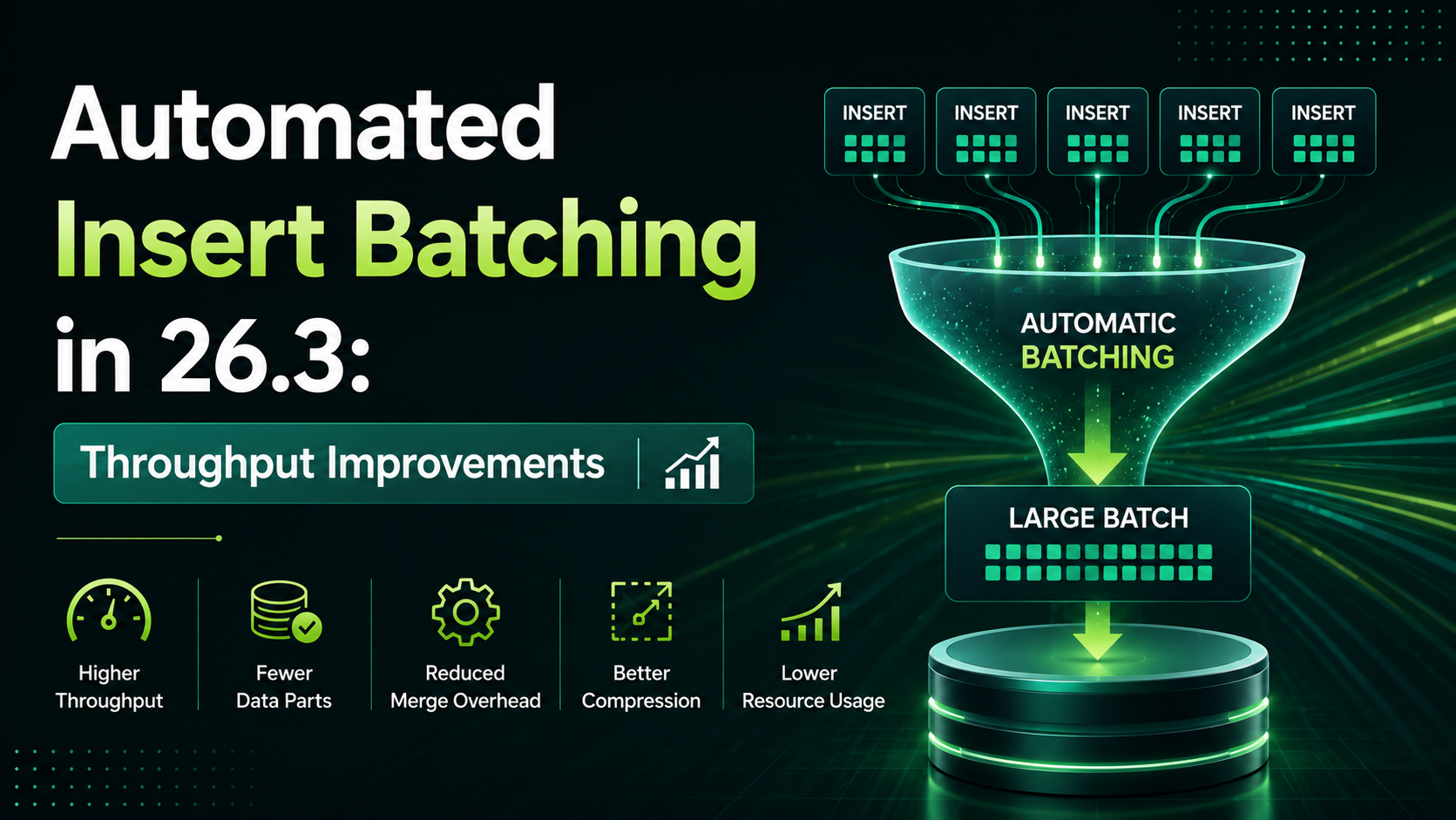
ClickHouse 26.3 further improves insert performance by enhancing the automatic batching behavior of asynchronous inserts. Instead of writing every small INSERT immediately, when asynchronous inserts are enabled, ClickHouse temporarily buffers incoming insert requests before writing them to disk. This reduces write amplification, creates fewer data parts, and significantly improves ingestion throughput.
In this article, we'll explore how automatic insert batching works, why it improves performance, and when you should consider enabling it.
Note: Automated Insert Batching is not an official ClickHouse feature name. In this article, the term refers to the automatic batching behavior of asynchronous inserts in ClickHouse 26.3, where multiple small insert requests are grouped into larger writes to improve ingestion throughput.
The Problem with Small Inserts
Consider an application receiving thousands of events every second.
Instead of sending one large INSERT, it continuously sends tiny batches.
INSERT (10 rows)

INSERT (15 rows)

INSERT (8 rows)

INSERT (12 rows)

INSERT (20 rows)
Although each insert is small, ClickHouse still performs all the work required for every request.
Each insert requires:
- SQL parsing
- Validation
- Compression
- Creating data parts
- Metadata updates
- Scheduling background merges
As the number of inserts increases, the overhead becomes significant.
Traditional Insert Workflow
Without batching, every INSERT is processed independently.
Application
    │
    ├── INSERT
    ├── INSERT
    ├── INSERT
    ├── INSERT
    ▼
ClickHouse
    │
Creates Multiple Small Parts
Every INSERT incurs fixed processing costs, including query parsing, block creation, compression, metadata updates, and part creation. When applications generate thousands of tiny inserts, these fixed costs are repeated for every request, reducing overall ingestion efficiency. As the number of small inserts increases, these repeated fixed costs become a bottleneck, limiting overall ingestion throughput.
Why Too Many Small Parts Are Bad
Having many tiny parts can cause several issues.
- More background merges
- Higher CPU usage
- Increased disk I/O
- More metadata
- Slower query planning
- Additional memory consumption
The famous ClickHouse recommendation still applies:
Avoid sending many tiny
INSERTstatements.
Automatic Insert Batching
Instead of immediately writing every INSERT, ClickHouse can temporarily buffer incoming asynchronous inserts.
Multiple requests are then combined into a larger batch before being written.
Application
INSERT
INSERT
INSERT
INSERT
INSERT
│
▼
Buffer
│
Combine Requests
▼
Large INSERT
▼
ClickHouse Storage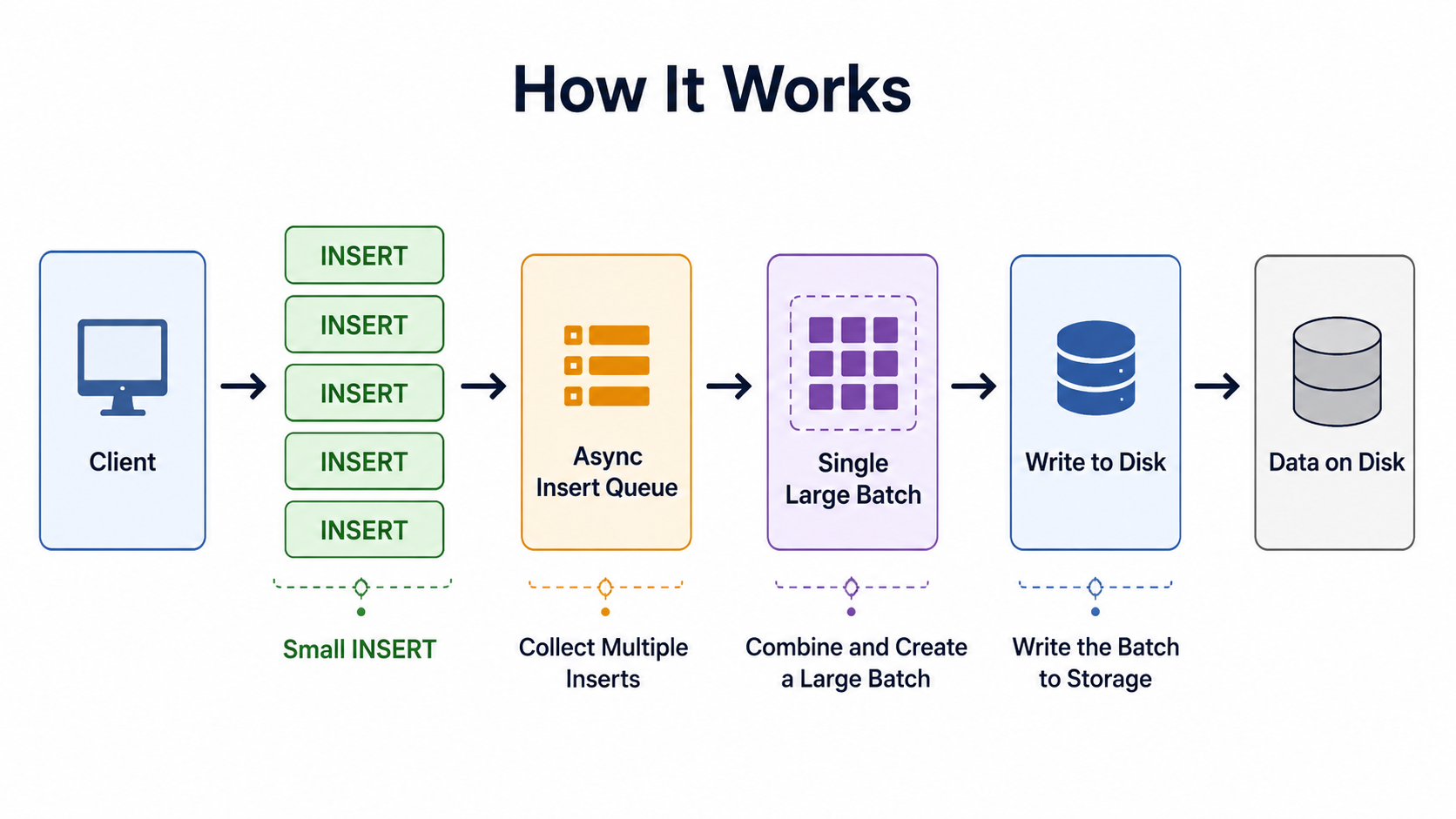 The application still sends many
 INSERT requests, but ClickHouse writes fewer, larger data parts.
By combining multiple asynchronous inserts into a single larger write, ClickHouse performs expensive operations such as parsing, compression, metadata updates, and part creation less frequently. This reduces CPU overhead, minimizes background merge activity, and improves ingestion efficiency.
Why Throughput Improves
Every INSERT has a fixed processing cost regardless of how many rows it contains. When many small INSERT statements are grouped into a larger batch, ClickHouse performs these operations only once for the combined data. This reduces CPU usage, minimizes metadata operations, creates fewer data parts, and increases overall throughput.
Benefits include:
- Fewer data parts
- Less merge activity
- Better compression
- Lower disk overhead
- Higher insert throughput
Instead of processing hundreds of tiny writes, ClickHouse processes fewer, larger writes.
Example
Suppose your monitoring system generates:
- 2,000
INSERTstatements - Each containing 20 rows
Without batching
2,000 INSERTS
      │
      ▼
2,000 Data Parts
With batching
2,000 INSERTS
      │
      ▼
40 Large Batches
      │
      ▼
40 Data Parts
Although the same amount of data is inserted, ClickHouse creates significantly fewer data parts and performs fewer merge operations, resulting in higher ingestion throughput.
Asynchronous Inserts
Automatic batching works together with asynchronous inserts.
Instead of waiting for every insert to complete, ClickHouse temporarily stores incoming requests in memory and flushes them according to configurable thresholds.
Typical controls include:
- Maximum buffer size
- Flush timeout
- Queue limits
These settings allow ClickHouse to balance throughput and latency.
Enabling Asynchronous Inserts
Automatic batching is available when asynchronous inserts are enabled.
Example:
SET async_insert = 1;

SET wait_for_async_insert = 1;
Or enable it for a specific INSERT statement:
INSERT INTO events
SETTINGS
    async_insert = 1,
    wait_for_async_insert = 1
VALUES (...);
Where:
async_insert = 1enables asynchronous inserts.wait_for_async_insert = 1waits until the buffered data has been successfully written before acknowledging theINSERT.
Note: These settings can be configured at the session level, per query, or as server defaults, depending on your application's requirements.
When Does Automatic Batching Help?
This feature is especially useful for workloads involving frequent, small inserts.
Common examples include:
- IoT Platforms – Thousands of sensors continuously send measurements.
- Application Logs – Web services generate logs every few milliseconds.
- Monitoring Systems – Prometheus exporters and monitoring agents produce constant metrics.
- Event Streaming – Applications consume events from Kafka or RabbitMQ and insert them continuously.
- Clickstream Analytics – User activity events arrive in small batches throughout the day.
Benefits
| Feature | Benefit |
|---|---|
| Larger insert batches | Higher throughput |
| Fewer data parts | Reduced merge overhead |
| Better compression | Lower storage usage |
| Reduced CPU usage | More efficient ingestion |
| Lower disk I/O | Faster writes |
| Better scalability | Handles higher event rates |
Before vs After
| Before Automatic Batching | With Automatic Batching |
|---|---|
| Many small writes | Small writes combined automatically |
| Large number of data parts | Fewer data parts |
| Frequent merges | Reduced merge activity |
| Higher CPU usage | Lower CPU usage |
| Lower insert throughput | Higher throughput |
Best Practices
To maximize throughput:
- Prefer asynchronous inserts for high-frequency workloads.
- Send reasonably sized batches whenever possible.
- Avoid sending single-row inserts.
- Monitor the number of active parts.
- Monitor background merges.
- Tune asynchronous insert settings based on workload characteristics.
Monitoring Insert Performance
Monitoring insert activity helps you understand how efficiently ClickHouse is ingesting data and whether small inserts are creating excessive data parts or merge activity.
The following system tables are particularly useful:
| System Table | Purpose |
|---|---|
system.parts | Monitor the number of active data parts |
system.part_log | Track part creation and lifecycle events |
system.merges | Observe background merge activity |
system.metrics | Monitor insert-related metrics and resource usage |
Example query:
SELECT
    table,
    count() AS active_parts
FROM system.parts
WHERE active = 1
GROUP BY table;
A large number of active parts may indicate that inserts are arriving in very small batches and causing additional merge activity.
When Should You Use It?
Automatic batching is ideal for workloads that generate frequent, small insert operations, including:
- IoT workloads
- Event collection
- Log ingestion
- Monitoring systems
- Real-time analytics
- Kafka pipelines
- Clickstream processing
If your application already inserts large batches (for example, tens of thousands of rows per INSERT), the benefits will be smaller because batching is already being performed by the client.
When Automatic Batching Provides Limited Benefit
Automatic batching may provide limited improvements when:
- Your application already sends large batch inserts.
INSERToperations occur infrequently.- Immediate data visibility is more important than throughput.
- The workload already creates relatively few data parts.
In these cases, the performance gains may be minimal because batching is already handled by the application or is unnecessary.
Things to Consider
While automatic batching significantly improves throughput, it introduces a small trade-off between write latency and ingestion efficiency.
Because ClickHouse waits briefly to combine inserts, there may be a slight increase in insert latency before data becomes visible for queries. For many analytical workloads, this delay is negligible compared to the gains in throughput and reduced system overhead.
Choose batching settings that balance your application's requirements for throughput and data freshness.
Conclusion
ClickHouse 26.3 improves high-ingestion workloads by enhancing the automatic batching behavior of asynchronous inserts. By combining multiple small INSERT operations into larger writes, it reduces part creation, lowers merge overhead, improves compression efficiency, and increases overall ingestion throughput.
For applications that ingest logs, metrics, events, or IoT data, enabling asynchronous inserts and allowing ClickHouse to batch writes automatically can lead to better scalability and more efficient resource utilization. While the feature introduces a small delay before data is flushed, the improvement in throughput often outweighs the additional latency for analytical workloads.
References
- ClickHouse 26.3 Release Notes: https://clickhouse.com/blog/clickhouse-release-26-03
- ClickHouse Documentation – Asynchronous Inserts: https://clickhouse.com/docs/optimize/asynchronous-inserts
- ClickHouse Documentation – Bulk Inserts: https://clickhouse.com/docs/optimize/bulk-inserts